

- Posts: 5
- Thank you received: 1
Microsoft Windows Phone 8.1 support ends (13 Jul 2017)
Microsoft has ended support for Windows Phone 8.1
Questions about Android development and PDF
Example how to render all PDF pages to images
IP: 212.149.240.8
7 years 3 months ago - 7 years 3 months ago #14360
by ville
Example how to render all PDF pages to images was created by ville
Hi!
I need to export all pdf pages to jpeg images at the resolution of 1080x1920. How can this be done with this library? (Looking for code examples.)
I need to export all pdf pages to jpeg images at the resolution of 1080x1920. How can this be done with this library? (Looking for code examples.)
Last edit: 7 years 3 months ago by ville.

IP: 111.196.246.50
7 years 3 months ago - 7 years 3 months ago #14362
by radaee
Replied by radaee on topic Example how to render all PDF pages to images
the codes like:
Code:
Global.Init(this);
Document doc = new Document();
doc.Open("pdf path");
int pcnt = doc.GetPageCount();
int pcur = 0;
while(pcur < pcnt)
{
float pw = doc.GetPageWidth(pcur);
float ph = doc.GetPageHeight(pcur);
int bw = (int)(pw * scale);
int bh = (int)(ph * scale);
Bitmap bmp = Bitmap.Create(bw, bh, RGBA8888);
bmp.erase(white);
Matrix mat = new Matrix(scale, -scale, 0, bh);
Page page = doc.GetPage(pcur);
page.RenderToBmp(mat, bmp);
page.Close();
bmp.Compress(...);
pcur++;
}
doc.Close();
Last edit: 7 years 3 months ago by radaee.
IP: 85.76.5.49
7 years 3 months ago #14364
by ville
Replied by ville on topic Example how to render all PDF pages to images
It seems that there are unfortunately multiple PDFs that aren't opening with this library. I've attached one as an example here:


IP: 37.183.44.177
7 years 3 months ago #14365
by support
Replied by support on topic Example how to render all PDF pages to images
The attached file was just rendered with current demo project:
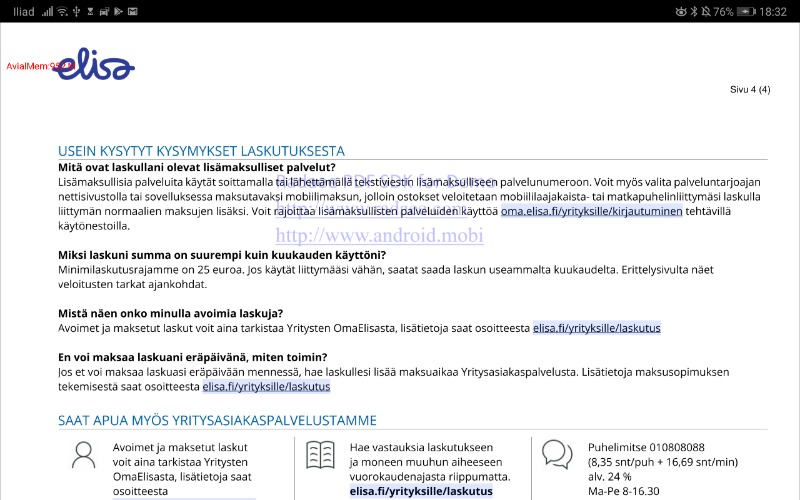
May you provide the result you're receiving and what you're expecting?
May you provide the result you're receiving and what you're expecting?
IP: 85.76.5.49
7 years 3 months ago #14366
by ville
Replied by ville on topic Example how to render all PDF pages to images
Now that I'm debugging it it seems that for string
the resulting document contains 0 pages.
So it seems that the
is not working as expected. How should it be loaded?
Code:
content://com.android.externalstorage.documents/document/151B-4307%3ADownload%2FElisa_90292596604.pdf
So it seems that the
Code:
document.Open(uri.toString())
IP: 111.196.244.118
7 years 3 months ago #14367
by radaee
Replied by radaee on topic Example how to render all PDF pages to images
them example on this topic is openging local File from absolute path.
for url you need PDFHTTPStream.
the webserver shall support "ByteRange" header for http request, and you need Internet Permission declared in AndroidMenifest.xml.
for url you need PDFHTTPStream.
Code:
Global.Init(this);
PDFHTTPStream stream = new PDFHTTPStream("http://you addr/your pdf");
Document doc = new Document();
doc.OpenStream(stream);
int pcnt = doc.GetPageCount();
int pcur = 0;
while(pcur < pcnt)
{
float pw = doc.GetPageWidth(pcur);
float ph = doc.GetPageHeight(pcur);
int bw = (int)(pw * scale);
int bh = (int)(ph * scale);
Bitmap bmp = Bitmap.Create(bw, bh, RGBA8888);
bmp.erase(white);
Matrix mat = new Matrix(scale, -scale, 0, bh);
Page page = doc.GetPage(pcur);
page.RenderToBmp(mat, bmp);
page.Close();
bmp.Compress(...);
pcur++;
}
doc.Close();
stream.Close();
Time to create page: 0.424 seconds