
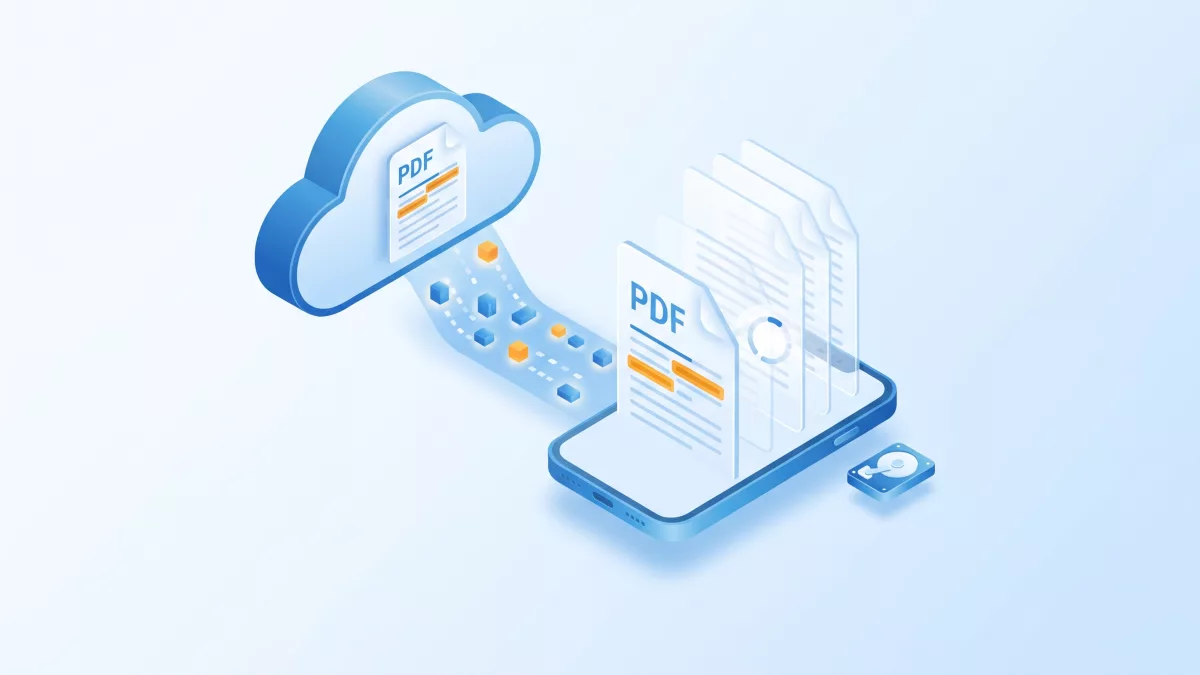
To open PDF from URL on iOS without waiting for the whole file, RadaeePDF reads the remote document through a stream that downloads only the blocks the parser needs.
Applies to: RadaeePDF Classic and Master SDK for iOS. Both demo projects include PDFHttpStream in PDFViewer/PDFLib/ and use the same RDPDFDoc and PDFReaderCtrl selectors.
Short answer: Create a PDFHttpStream and call [stream open:url :cacheFile]. Then open an RDPDFDoc with [doc openStream:stream :password] and pass it to the demo viewer with [reader setDoc:doc :YES]. The stream downloads 4 KB (Classic) or 8 KB (Master) blocks with HTTP Range requests only when the parser reads them, so the first page can appear before the rest of the file arrives. To make this efficient, call [RDPDFDoc setOpenFlag:3] before opening a linearized PDF.
A note on the older KB sample
The KB article How to open pdf from url on iOS? passes the stream to RDPDFViewController with PDFOpenStream::. Neither that class nor that selector is in the current Classic or Master iOS demo projects. In the current sources, the document object opens the stream (-[RDPDFDoc openStream::]) and the viewer is PDFReaderCtrl, which you load from PDFReaderCtrl.storyboard and give the document with setDoc:. The RadaeePDF Cordova plugin follows exactly this path for http:// and https:// URLs.
How PDFHttpStream works
PDFHttpStream is an Objective-C class that implements the SDK’s PDFStream protocol (writeable, read::, write::, position, length, seek:). Its source ships with the demo, so you can read or adapt it. Here is what it does, based on PDFHttpStream.m:
open::starts aGETwithNSURLSessionand blocks the calling thread until the response headers arrive.- If the server answers with a status of 400 or higher, or doesn’t send a usable
Content-Length,open::returnsNO. - Otherwise it creates the cache file at the path you passed and fills it with zeros up to the full document size.
- Each time the PDF parser calls
read::, the stream checks which blocks are missing and downloads them with aRange: bytes=start-endrequest. It writes them into the cache file and marks them as present, so a block is never fetched twice while the stream is open. close, whichdeallocalso calls, cancels the network task, closes the cache file and deletes it withunlink.
This tells you what the server and your app need:
- The server must support byte-range requests and return
Content-Length. Most static file servers and CDNs do both. - HTTPS works without extra code. The stream uses the standard
NSURLSessiondefault configuration, and the demo header’s test URL (testUrlPath) is anhttps://link. App Transport Security applies as it does to any other request. - The cache isn’t persistent. It lives only as long as the stream, and it takes the full file size on disk as soon as
open::succeeds. To keep a file for offline use, download it separately and open it withopen::. - The stream is read-only.
writeablereturnsfalseandwrite::returns0, so open the viewer in read-only mode.
Open PDF from URL on iOS (Classic and Master)
Because open:: blocks and the first openStream:: call reads over the network, do both on a background queue. Switch back to the main queue to show the viewer:
#import "PDFHttpStream.h"
#import "PDFReaderCtrl.h"

@interface RemoteViewer : UIViewController
@property (strong, nonatomic) PDFHttpStream *httpStream; // keep it alive while the document is open
@end

@implementation RemoteViewer

- (void)openRemotePDF:(NSString *)url password:(NSString *)password
{
    NSString *cacheFile = [NSTemporaryDirectory() stringByAppendingPathComponent:@"remote-cache.pdf"];

    dispatch_async(dispatch_get_global_queue(QOS_CLASS_USER_INITIATED, 0), ^{
        PDFHttpStream *stream = [[PDFHttpStream alloc] init];
        if (![stream open:url :cacheFile]) {
            dispatch_async(dispatch_get_main_queue(), ^{
                [self showError:@"Server unreachable, HTTP error, or no Content-Length."];
            });
            return;
        }

        [RDPDFDoc setOpenFlag:3];          // load linearized hint table (bit 1) + same page size (bit 2)
        RDPDFDoc *doc = [[RDPDFDoc alloc] init];
        int err = [doc openStream:stream :password];
        int linearized = (err == err_ok) ? [doc getLinearizedStatus] : 0;

        dispatch_async(dispatch_get_main_queue(), ^{
            switch (err) {
                case err_ok: {
                    NSLog(@"linearized status: %d", linearized);
                    self.httpStream = stream;
                    PDFReaderCtrl *reader = [[UIStoryboard storyboardWithName:@"PDFReaderCtrl" bundle:nil]
                                             instantiateViewControllerWithIdentifier:@"rdpdfreader"];
                    [reader setDoc:doc :YES];   // read-only: PDFHttpStream is not writeable
                    [self presentViewController:reader animated:YES completion:nil];
                    break;
                }
                case err_password: [self showError:@"Password required."]; break;
                case err_encrypt:  [self showError:@"Unknown encryption."]; break;
                case err_bad_file: [self showError:@"Damaged or invalid PDF."]; break;
                default:           [self showError:@"Cannot open the document."]; break;
            }
        });
    });
}

- (void)showError:(NSString *)msg
{
    UIAlertController *a = [UIAlertController alertControllerWithTitle:@"Error" message:msg
                                                        preferredStyle:UIAlertControllerStyleAlert];
    [a addAction:[UIAlertAction actionWithTitle:@"OK" style:UIAlertActionStyleDefault handler:nil]];
    [self presentViewController:a animated:YES completion:nil];
}

@end
openStream:: returns a PDF_ERR value: err_ok, err_open, err_password, err_encrypt or err_bad_file. The demo’s PDFNavCtrl checks the same values when it opens local files. Pass nil as the password for unprotected files. Store the stream in a property, because releasing it runs close, which stops downloads and deletes the cache file. If you open more than one remote file at a time, give each stream its own cache path.
In the Master edition, PDFHttpStream.h imports the bundled ASIHttpRequest headers. Copy that folder along with PDFLib if you move the class into your own project.
Linearization and setOpenFlag
A linearized (“fast web view”) PDF stores the first page and a hint table at the start of the file, so a reader can show page one after downloading only the beginning. RadaeePDF uses the hint table only when you ask for it. +[RDPDFDoc setOpenFlag:] is a static, global setting that affects every subsequent open call:
flag & 1loads the linearized hint table.flag & 2treats all pages as the same size as the first page, so the SDK reads only the first page object when it opens the document. This bit has an effect only when bit 1 is also set.
The Cordova plugin calls [RDPDFDoc setOpenFlag:3] before openStream::. Use bit 2 only when you know the pages share one size, because otherwise the viewer lays out every page at the first page’s size. Since the flag is global, set it again before you open other documents that need different behavior. The C-level equivalents are Document_setOpenFlag in Classic (PDFIOS.h) and PDF_Document_setOpenFlag in Master (RDPDF.h).
After opening, -[RDPDFDoc getLinearizedStatus] returns one of these values:
0: no linearized header was loaded. You also get this when the open flag is 0.1: a header is present, but its entry check failed.2: the header is valid, but the hint table is damaged.3: the linearized header loaded successfully.
If you get 0 or 1 for a file you serve often, linearize it on the server. Otherwise the parser has to fetch the cross-reference data at the end of the file before it can render anything.
App Transport Security
Serve your PDFs over HTTPS and you don’t need to change anything. If you must load plain HTTP from your own host, add an exception for that domain instead of disabling ATS globally:
<key>NSAppTransportSecurity</key>
<dict>
    <key>NSExceptionDomains</key>
    <dict>
        <key>files.example.com</key>
        <dict>
            <key>NSExceptionAllowsInsecureHTTPLoads</key>
            <true/>
        </dict>
    </dict>
</dict>
The KB article suggests NSAllowsArbitraryLoads, which works but turns off ATS for every connection your app makes.
Related questions
Why does open:: return NO for a URL that works in Safari?
open:: needs a response with status below 400 and a positive expectedContentLength. Servers that stream with chunked encoding, or that send an HTML login page or a redirect to one, fail this check. Make sure the URL returns the PDF bytes directly with a Content-Length header.
Is the cache file reused the next time the app starts?
No. The stream creates it fresh in open:: and deletes it in close. If users need offline access, download the file with NSURLSession into your app’s Documents or Caches directory and open the local copy with [doc open:path :password].
Can users add annotations to a streamed document?
Not through PDFHttpStream, because it reports writeable as false and ignores writes. That’s why the example opens the viewer with setDoc:doc :YES. To edit, download the file first, or write your own PDFStream implementation that supports writing.
Can I open a PDF already held in memory instead?
Yes. -[RDPDFDoc openMem:::] takes a byte buffer, its length and a password. The buffer must stay allocated until the document is closed, and the KB notes that a document opened this way is read-only.
Related on radaeepdf.com
- RadaeePDF SDK for iOS
- Search text in PDF on iOS
- Export and import PDF annotations on iOS
- Download the free trial
Where to go next
- PDFHttpStream.h and PDFHttpStream.m (Classic iOS), PDFHttpStream.h (Master iOS)
- PDFObjc.h (Master iOS):
openStream::,setOpenFlag:andgetLinearizedStatus - PDFReaderCtrl.h (Master iOS) and PDFNavCtrl.m: how the demo opens the viewer
- RadaeePDFPlugin.m (Cordova): remote URL handling with
PDFHttpStream - KB: How to open pdf from url on iOS? and KB: How to use OpenMem method (iOS)