
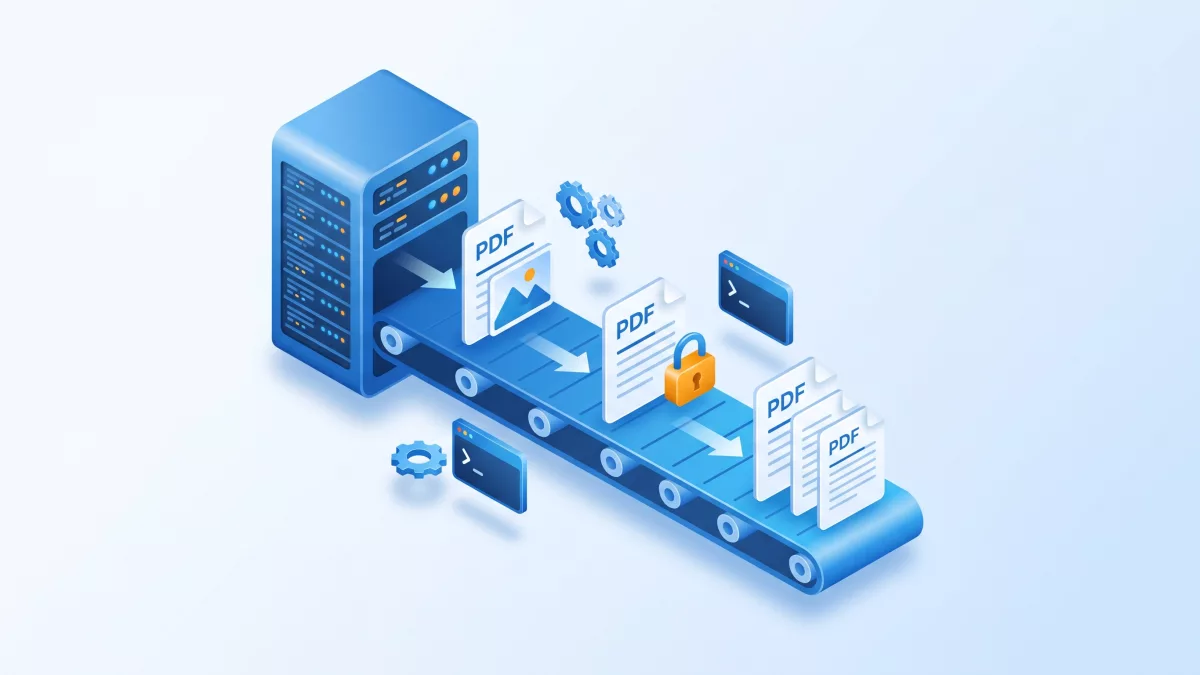
This guide shows how to build a PDF processing pipeline with a server-side PDF SDK: the RadaeePDF Server engine driven from shell scripts, Java and C# on Windows and Linux.
Applies to: RadaeePDF Server SDK (Java bindings, C# bindings and CLI tools) on Windows and Linux.
Key takeaways:
- RadaeePDF Server is a server-side PDF SDK: a native C++ engine for Windows and Linux that runs headless.
- You can drive it from shell scripts with the CLI tools, from Java through JNI, or from C#.
- The same engine renders pages to images, extracts text, encrypts with AES-256 and merges documents.
- One server license covers any number of concurrent processes on that machine.
Backend workflows often need PDF processing without any user interface: turning uploaded documents into page images, extracting text for search, protecting files before delivery, or assembling several documents into one. The RadaeePDF Server SDK is built for that job. It is compiled from native C++ code, runs on Windows and Linux, and exposes the same engine through Java, C# and a set of command-line tools.
This guide walks through a pipeline in three layers: shell scripts that call the CLI tools, Java code built on the classes in the PDFJniDemo project, and C# code built on the wrappers shipped in the C# folder. Every call shown here comes from the public RadaeePDF-Server repository.
What the server-side PDF SDK package contains
The repository is organized by integration type:
Binaries/: the native engine,RDDJni.dllfor Windows (x64 and x86) andlibRDDJni.sofor Ubuntu 22.04 (x64 and ARM64) and Ubuntu 24.04 (x64).CLI/: ready-to-run executablesrdinfo,rdsec,rdpageandrdcvt, plus their C++ sources.java/: thePDFJniDemoEclipse project (packagescom.radaee.comm,com.radaee.pdf,com.radaee.util) and aJSPDemoweb sample.C#/: wrapper sources for Windows and Linux (RDDCom.cs,RDDPDF.cs,RDDDOCX.cs) and two demo projects.res/: resource files, includingcmaps.datandumaps.dat, which are required for correct rendering and text extraction.
Choosing the right layer
The three layers share one engine, so the choice is about how the pipeline is operated, not about features:
- CLI tools fit scheduled jobs, shell-based workers and quick prototypes. Nothing has to be compiled, and every operation is one process call with a clear exit point.
- Java bindings fit services that already run on the JVM, including servlet containers: the
JSPDemofolder shows page rendering, splitting and DOCX conversion called from JSP pages. - C# bindings fit .NET services on Windows or Linux. The wrappers are plain source files that you add to your project, and they call the native library through
DllImport.
A common pattern is to start with the CLI to validate the output on real documents, then move the same steps into Java or C# when you need finer control, such as custom file naming, per-page error handling or streaming results back to a web request.
Deploying the native engine
The rule repeated across the READMEs is simple: the native library and cmaps.dat/umaps.dat must be deployed together. On Linux, the Binaries README installs them like this:
sudo cp "Binaries/Ubuntu22.04.1 LTS x64/libRDDJni.so" /usr/local/lib/
sudo cp res/cmaps.dat res/umaps.dat /usr/local/lib/
sudo ldconfig
For Java, start the JVM with -Djava.library.path pointing to the folder that holds the library, for example java -Djava.library.path=/usr/local/lib -jar YourApp.jar.
There is one Linux detail worth knowing before your first run. Both Global.Init in the Java demo and RDGlobal.Init in the C# wrapper load the CMaps, the CMYK profile and the fallback fonts from hard-coded paths under /root/res/. On Windows they call a different loader. Edit those paths so they point to your real resource directory, or the engine starts without fonts and character maps.
Layer 1: batch jobs with the CLI tools
The CLI tools are the fastest way to add PDF processing to cron jobs, queues or CI scripts. Copy the whole content of CLI/Ubuntu-22.04-LTS (or CLI/Windows-x64) to the target folder, keep libRDDJni.so, cmaps.dat and umaps.dat next to the executables, and on Linux run chmod +x rdinfo rdsec rdpage rdcvt.
The tools need an activated license. If they report “license not activated”, run ./rdinfo -r to print the request code, obtain a key for it from RadaeePDF, and save the key in a file named key.txt in the program directory.
Each tool takes the file, then its password ("" when there is none):
rdinfo -info <file> <pswd>prints document information;rdinfo -set <file> <pswd> Author=... Title=...writes metadata.rdpage -txt <file> <pswd> <list> <out.txt>extracts text; an empty list means all pages.rdpage -exp <file> <pswd> <png|jpg> <dpi> <directory>exports every page as0000.png,0001.pngand so on. A dpi of 72 means 100%, 144 means 200%.rdpage -del,-rotand-impdelete, rotate (multiples of 90) and import pages.rdsec -enc <file> <pswd> <out> <owner-pswd> <user-pswd>encrypts;rdsec -decremoves the password;rdsec -wmstamps a PNG (RGBA) watermark on every page.
A nightly job that processes a folder of incoming files can be written with nothing but these options:
#!/bin/bash
# libRDDJni.so, cmaps.dat, umaps.dat and key.txt
IN=/data/incoming
OUT=/data/processed

for f in "$IN"/*.pdf; do
  name=$(basename "$f" .pdf)
  mkdir -p "$OUT/$name/pages"

  ./rdinfo -info "$f" "" > "$OUT/$name/info.txt"
  ./rdpage -txt "$f" "" "" "$OUT/$name/text.txt"
  ./rdpage -exp "$f" "" png 144 "$OUT/$name/pages"
  ./rdsec -enc "$f" "" "$OUT/$name/$name-protected.pdf" "owner-secret" ""
done
To merge documents, ./rdpage -imp test.pdf "" src.pdf "" appends all pages of src.pdf to test.pdf, creating test.pdf if it does not exist. Options such as -del, -rot and -imp take no output path, so run them on a copy if you need to keep the original.
Layer 2: Java integration
When the pipeline lives inside a Java service, use the classes from java/PDFJniDemo/src. Initialization is a single call: Global.Init(String serial) loads the RDDJni library, activates the license and returns true on success. Later calls return immediately, so call it once at startup. Without an active license the demo shows that GetPage returns null after the first pages, so always check for it.
The following class renders every page to PNG. It follows the render_pages method of JSPDemo/images.jsp, including its 4096-pixel cap that keeps very large pages from exhausting memory.
import java.awt.image.BufferedImage;
import java.io.File;
import java.io.IOException;
import javax.imageio.ImageIO;

import com.radaee.comm.Global;
import com.radaee.comm.Matrix;
import com.radaee.pdf.Document;
import com.radaee.pdf.Page;

public class PdfPipeline {

    public static void main(String[] args) throws IOException {
        if (!Global.Init("YOUR-LICENSE-KEY")) {
            System.err.println("License not activated: output will be limited.");
        }
        int err = renderPages(args[0], "", new File(args[1]), 2.0f);
        System.out.println("Result: " + err);
    }

    // Returns 0 on success or the Document.Open error code:
    // -1 password needed, -2 unknown encryption, -3 damaged file, -10 access denied
    static int renderPages(String pdfPath, String password, File outDir, float scale)
            throws IOException {
        Document doc = new Document();
        int err = doc.Open(pdfPath, password);
        if (err != 0) return err;
        outDir.mkdirs();
        try {
            int count = doc.GetPageCount();
            for (int pno = 0; pno < count; pno++) {
                Page page = doc.GetPage(pno);
                if (page == null) break; // license not activated
                float pw = doc.GetPageWidth(pno);
                float ph = doc.GetPageHeight(pno);
                float s = scale;
                if (pw * s > 4096.0f) s = 4096.0f / pw;
                if (ph * s > 4096.0f) s = 4096.0f / ph;
                int iw = (int) (pw * s + 0.5f);
                int ih = (int) (ph * s + 0.5f);

                BufferedImage bimg = new BufferedImage(iw, ih, BufferedImage.TYPE_INT_ARGB);
                Matrix mat = new Matrix(s, -s, 0, ph * s); // flip the PDF y axis
                boolean ok = page.RenderToBuf(bimg, -1, mat); // -1 = white background
                mat.Destroy();
                page.Close();
                if (ok) {
                    ImageIO.write(bimg, "png", new File(outDir, String.format("p%06d.png", pno)));
                }
            }
        } finally {
            doc.Close();
        }
        return 0;
    }
}
Encrypting and merging in Java
Document.EncryptAs writes an encrypted copy. The bundled guide (java/doc/genc.html) explains the arguments: user password, owner password, permission bits (-1 grants all), method 3 for AES-256 (other values use AES-128), and a 32-byte file ID. The method requires a premium license.
import java.security.SecureRandom;
import com.radaee.pdf.Document;

public class PdfSecurity {
    static boolean encrypt(String src, String dst, String ownerPassword) {
        Document doc = new Document();
        if (doc.Open(src, null) != 0) return false;
        byte[] id = new byte[32];
        new SecureRandom().nextBytes(id);
        boolean ok = doc.EncryptAs(dst, "", ownerPassword, -1, 3, id);
        doc.Close();
        return ok;
    }
}
To decrypt, open the file with its password and call doc.SaveAs(path, true), which saves the document with its security removed.
Merging uses Document.ImportStart, which returns a Document.ImportContext. Keep the source document open until you call Destroy() on the context. Importing also requires a premium license.
import com.radaee.pdf.Document;

public class PdfMerge {
    // Appends all pages of srcPath to the end of dstPath
    static boolean append(String dstPath, String srcPath) {
        Document dst = new Document();
        Document src = new Document();
        if (dst.Open(dstPath, null) != 0 || src.Open(srcPath, null) != 0) {
            src.Close();
            dst.Close();
            return false;
        }
        Document.ImportContext ctx = dst.ImportStart(src);
        boolean ok = (ctx != null);
        if (ok) {
            int base = dst.GetPageCount();
            int count = src.GetPageCount();
            for (int i = 0; i < count && ok; i++) {
                ok = ctx.ImportPage(i, base + i);
            }
            ctx.Destroy();
        }
        if (ok) ok = dst.Save();
        src.Close();
        dst.Close();
        return ok;
    }
}
To start from an empty file instead, call Document.Create(path), which returns 0 on success. This is how split.jsp writes each page to its own PDF.
Layer 3: C# integration
The C# wrappers live in the RDDLib.comm and RDDLib.pdf namespaces. The Windows demo calls RDGlobal.Init() and then RDGlobal.Active(key), which returns 3 on success. Rendering uses an RDDIB pixel buffer, and RDDIB can save itself straight to PNG or JPEG, so no imaging library is needed.
using System;
using RDDLib.comm;
using RDDLib.pdf;

public class Program
{
    static int Main(string[] args)
    {
        RDGlobal.Init();
        if (RDGlobal.Active("YOUR-LICENSE-KEY") != 3)
        {
            Console.WriteLine("License activation failed");
            return 1;
        }

        PDFDoc doc = new PDFDoc();
        int err = doc.Open(args[0], "");
        if (err != 0)
        {
            Console.WriteLine("Open failed: " + err);
            return 2;
        }

        const float scale = 2.0f; // 144 dpi
        int count = doc.GetPageCount();
        for (int pno = 0; pno < count; pno++)
        {
            PDFPage page = doc.GetPage(pno);
            if (page == null) break;
            float pw = doc.GetPageWidth(pno);
            float ph = doc.GetPageHeight(pno);
            RDDIB dib = new RDDIB((int)(pw * scale), (int)(ph * scale));
            RDMatrix mat = new RDMatrix(scale, -scale, 0, ph * scale);
            page.RenderPrepare(dib);
            if (page.Render(dib, mat, 2))
                dib.SavePNG(string.Format("p{0:D6}.png", pno));
            page.Close();
        }
        doc.Close();
        return 0;
    }
}
The same PDFDoc class has EncryptAs, SaveAs, ImportStart (returning a PDFImporter with ImportPage and ImportEnd), and GetMeta/SetMeta. The Windows demo also converts Word files: DOCXDoc.ExportPDF(PDFDoc) writes a DOCX document into a PDF created with PDFDoc.Create.
Common pitfalls
- Missing resource files:
cmaps.datandumaps.datmust sit next to the native library. On Linux, also check the/root/res/paths inGlobal.InitorRDGlobal.Init. - Library not found on Linux: put
libRDDJni.soin a directory listed inLD_LIBRARY_PATHor/etc/ld.so.conf, runldconfig, and inspect dependencies withldd libRDDJni.so. - Architecture or glibc mismatch: compare
file libRDDJni.sowithuname -m(x86_64oraarch64). The Ubuntu 22.04 build needs glibc 2.35+, the 24.04 build glibc 2.39+. - Windows runtime: the Visual C++ Redistributable must be installed, and the DLL must match the process bitness (x64 or x86).
- License-bound features: the source marks
EncryptAs,ImportStartandNewPageas premium andSaveAsas professional or premium. The license is tied to a request code derived from hardware and network settings, so changing the network configuration can invalidate it.
Licensing for server deployment
Section 12 of the RadaeePDF licensing fact sheet covers server installation. Installing applications, command-line executables or services on a workstation or server requires a proper license, meaning a valid commercial license with a legitimate activation key. The server license does not restrict the number of concurrent processes or applications that invoke the SDK runtime, so one license covers a worker pool or several services on the same machine. Each workstation or server is identified by a unique ID generated by the operating system on its first run, which is why a new or rebuilt server needs its own request code and key.
Frequently asked questions
Can RadaeePDF run on a server without a user interface?
Yes. The RadaeePDF Server SDK is a native C++ engine for Windows and Linux that runs headless. It is meant for conversions, editing and content manipulation in backend services, batch jobs and command-line tools.
Which languages can I use with the RadaeePDF Server SDK?
Java through the JNI bindings in the PDFJniDemo project, C# through the wrappers in the C# folder, and any shell or scheduler that can call the CLI tools such as rdinfo, rdpage and rdsec.
Does the server license limit concurrent processes?
No. Section 12 of the RadaeePDF licensing fact sheet states that the server license does not restrict concurrent processes or applications invoking the SDK runtime. Each workstation or server is identified by a unique ID generated on its first run.
Related on radaeepdf.com
- RadaeePDF SDK for Server: features and editions
- Convert PDF pages to images with the RadaeePDF SDK
- Encrypting PDFs with AES-256: a cross-platform guide
- Server license pricing
- Download the free trial
Where to go next
- RadaeePDF-Server README
- CLI tools reference (CLI/README.md)
- Native binaries and troubleshooting (Binaries/README.md)
- Java SDK README
- Java Global.java (initialization)
- Java Document.java and Page.java
- JSP demo: render pages to images and split pages
- Java encryption guide
- C# wrapper RDDCom.cs and RDDPDF.cs
- C# Windows demo (Form1.cs)
- Knowledge base: Convert PDF to images and bitmaps
- Knowledge base: Import one PDF page into a new PDF document