
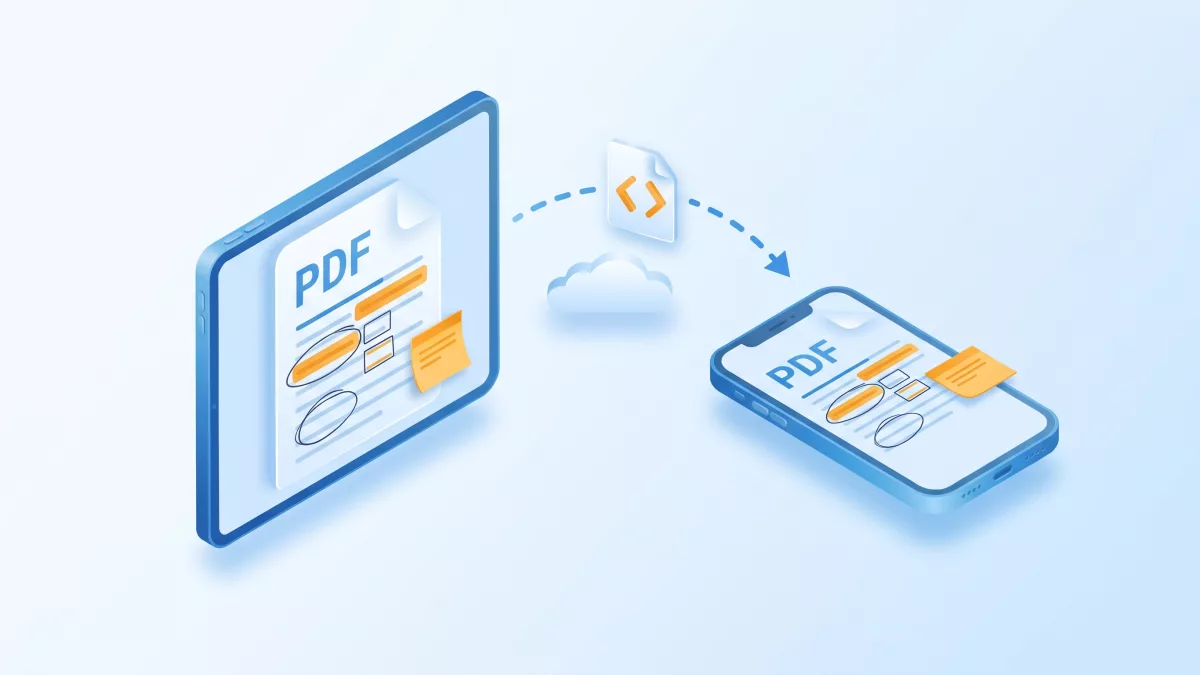
There are two ways to export PDF annotations on iOS with RadaeePDF and import them on another page or device: one annotation at a time, or the whole document as XFDF.
Applies to: Per-annotation export and import work in the RadaeePDF Classic and Master SDK for iOS. Document-level XFDF works only in the Master SDK for iOS. Both editions declare these selectors in PDFViewer/PDFLib/PDFObjc.h.
Short answer: You can serialize annotations at two levels:
- One annotation at a time (Classic and Master): call
-[RDPDFAnnot export::]to write the annotation into a byte buffer, save its rectangle withgetRect:, and recreate it on any page with-[RDPDFPage importAnnot:::]. - Every annotation in the document (Master only): call
-[RDPDFDoc exportXFDF:]to get a single XML string, and apply it on another device with-[RDPDFDoc importXFDF:].
In both cases, your app sends the data over the network, and the SDK only does the serialization. Then save the target document.
Two ways to export PDF annotations on iOS
- Per-annotation buffers are a compact binary format that only RadaeePDF can read. Use them to copy an annotation between pages or documents, or to sync single annotations as users create them. The headers say you need a premium license for both
export::andimportAnnot:::. - XFDF is the standard XML format for PDF annotations. A single string holds the whole annotation set, so it suits backend storage and exchange with other tools. In the iOS headers, only the Master edition’s
RDPDFDocdeclaresexportXFDF:andimportXFDF:. These two methods wrap the C functionsPDF_Document_exportXFDFandPDF_Document_importXFDFinRDPDF.h.
Export and import a single annotation (Classic and Master)
This follows the KB sample How to Export/Import annotations? (iOS). The KB uses the older PDFPage and PDFAnnot names and an argument-less objsStart. The current headers use RDPDFPage, RDPDFAnnot and objsStart:(bool). According to the KB, this works for ink, line, rectangle, ellipse and note annotations.
Export to a transferable payload
#import "PDFObjc.h"

// Serialize one annotation into a JSON-friendly dictionary.
- (NSDictionary *)exportAnnotAtIndex:(int)index page:(int)pageno doc:(RDPDFDoc *)doc
{
    RDPDFPage *page = [doc page:pageno];
    [page objsStart:false];                       // annotAtIndex: needs objsStart or a render
    if (index < 0 || index >= [page annotCount]) return nil;

    RDPDFAnnot *annot = [page annotAtIndex:index];
    PDF_RECT rect;
    [annot getRect:&rect];                        // position in PDF page coordinates

    unsigned char buf[4096];                      // size it for your densest ink strokes
    if ([annot export:buf :sizeof(buf)] < 0) {
        return nil;                               // -1 means the export failed
    }
    NSData *data = [NSData dataWithBytes:buf length:sizeof(buf)];
    return @{ @"page":   @(pageno),
              @"rect":   @[ @(rect.left), @(rect.top), @(rect.right), @(rect.bottom) ],
              @"data":   [data base64EncodedStringWithOptions:0] };
}
The header documents only that export:: returns -1 on failure. It doesn’t say the return value is a byte count. To stay on the safe side, the code sends the whole buffer, as the KB sample does. Choose a buffer size large enough for your annotations, as the KB suggests.
Import on another page or device
- (BOOL)importAnnot:(NSDictionary *)payload intoDoc:(RDPDFDoc *)doc
{
    int pageno = [payload[@"page"] intValue];
    NSArray<NSNumber *> *r = payload[@"rect"];
    NSData *data = [[NSData alloc] initWithBase64EncodedString:payload[@"data"] options:0];
    if (!data || r.count != 4) return NO;

    PDF_RECT rect;
    rect.left   = r[0].floatValue;
    rect.top    = r[1].floatValue;
    rect.right  = r[2].floatValue;
    rect.bottom = r[3].floatValue;

    RDPDFPage *page = [doc page:pageno];
    if (![page importAnnot:&rect :(const unsigned char *)data.bytes :(int)data.length]) {
        return NO;
    }
    return [doc save];                             // persist into the PDF file
}
importAnnot::: places the annotation at the rectangle you pass. To duplicate an annotation at another spot, change the rectangle. To send every annotation on a page, loop from 0 to annotCount - 1 and export each one.
Export and import all annotations as XFDF (Master only)
#import "PDFObjc.h"   // Master edition

// Device A: export
NSString *xfdf = [doc exportXFDF:nil];   // href: reference to the source PDF file, may be nil
if (xfdf.length == 0) {
    NSLog(@"XFDF export failed");
}

// Device B: import into the same PDF, then save
RDPDFDoc *target = [[RDPDFDoc alloc] init];
if ([target open:localPath :nil] == err_ok && [target canSave]) {
    if ([target importXFDF:xfdf]) {
        [target save];
    }
}
exportXFDF: returns an XML string with an encoding header, as the XFDF format defines. importXFDF: expects that same kind of string and returns true or false. The href argument becomes the reference to the source PDF inside the XFDF. Pass your file name or document ID if your backend needs one, or nil.
The header doesn’t say whether importXFDF: replaces annotations that are already on the page or adds to them. If you keep the full annotation set on the server, import it into a clean copy of the original PDF so the same annotation is never applied twice.
Sending the payload to your backend
The SDK has no networking layer. Use NSURLSession or any client you already have:
NSMutableURLRequest *req = [NSMutableURLRequest requestWithURL:[NSURL URLWithString:@"https://api.example.com/docs/42/annotations"]];
req.HTTPMethod = @"PUT";
[req setValue:@"application/vnd.adobe.xfdf" forHTTPHeaderField:@"Content-Type"];
NSData *body = [xfdf dataUsingEncoding:NSUTF8StringEncoding];

[[[NSURLSession sharedSession] uploadTaskWithRequest:req fromData:body
    completionHandler:^(NSData *resp, NSURLResponse *response, NSError *error) {
        if (error) NSLog(@"upload failed: %@", error);
    }] resume];
For per-annotation sync, send the dictionary from exportAnnotAtIndex:page:doc: as JSON with NSJSONSerialization. Load annotations on the receiving device before you call setDoc: on PDFReaderCtrl. That way the viewer renders the merged result from the first frame.
Things to check
- Licensing. The headers say you need a premium license for
export::,importAnnot:::andflatAnnots.savealways returnsfalsewith no license or a standard license. - The document must be writable. Check
[doc canSave]before importing. A document opened from memory (KB 82) or through the read-onlyPDFHttpStreamcan’t be saved. - Coordinates are page-relative. Both approaches store positions in PDF page coordinates. Import into the same PDF, or at least into pages of the same size, or the annotations end up in the wrong place.
- Keep the Master library current for XFDF. The Master iOS release notes list several XFDF fixes: v1.3.9 (“Fix issue with exporting/importing XFDF data”), v1.3.10 (“Fix coordinate error while importing XFDF data for some documents”) and v1.3.11 (“Fix XFDF data importing issue”). v1.3.12 also fixes ink annotations that could be lost in some documents. If imported annotations shift or go missing, update the library before you debug your own code.
XFDF in other RadaeePDF editions
XFDF is a Master-level feature across the product line. The same ExportXFDF and ImportXFDF pair is declared in the Master Android Document.java, in the Master Windows (UWP) UWPPDF.h and in the Java binding of RadaeePDF Server. An XFDF string exported on iOS can therefore be imported by an Android app or a server-side job built on those editions, and the other way around. The Classic iOS header doesn’t declare these methods.
Related questions
How do I make imported annotations permanent?
Call [page flatAnnots] on each page. It removes the annotations and draws them as normal page content that users can’t edit. PDFReaderCtrl also offers flatAnnots and +flatAnnotAtPage:doc:. KB 80 notes that you need a premium license.
Can I export only ink annotations?
Yes, with the per-annotation API. Loop over annotCount, check each RDPDFAnnot with its type method, and export only the types you want. XFDF export always covers the whole document.
Does XFDF include form field values?
The headers describe exportXFDF: only as an annotation export. For form data, RDPDFDoc has a separate exportForm method that returns an XML string. The header says it needs a premium license.
Can I use this from Swift?
Yes, through a bridging header that imports PDFObjc.h. The unlabeled selectors come into Swift with _ parameters. For example, doc.exportXFDF(nil), doc.importXFDF(xfdf) and page.importAnnot(&rect, bytes, len).
Related on radaeepdf.com
- RadaeePDF SDK for iOS
- Fill and flatten PDF form fields
- Search text in PDF on iOS
- Download the free trial
Where to go next
- PDFObjc.h (Master iOS):
export::,importAnnot:::,exportXFDF:andimportXFDF: - PDFObjc.h (Classic iOS): per-annotation export and import
- RDPDF.h (Master iOS):
PDF_Document_exportXFDFandPDF_Document_importXFDF - Master iOS releases: XFDF fixes in v1.3.9 to v1.3.11
- Document.java (Master Android), UWPPDF.h (Master Windows), Document.java (Server)
- KB: How to Export/Import annotations? (iOS) and KB: How to Flat annotations? (iOS)