
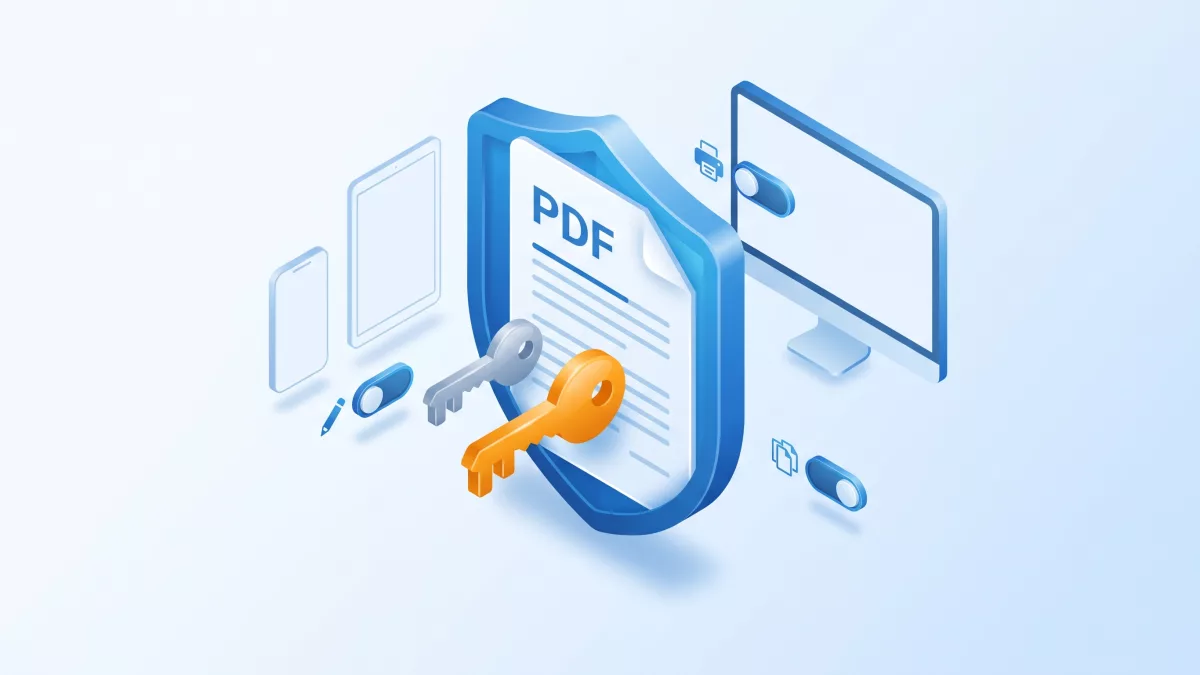
This guide explains how to encrypt PDF with AES-256 using RadaeePDF on Android, iOS, Windows and Server, with the same EncryptAs method on every platform.
Applies to: RadaeePDF Classic and Master SDK for Android, Master SDK for iOS (and the matching Classic iOS API), Master SDK for Windows UWP, and RadaeePDF SDK Server (Java and CLI). Encryption requires a Premium license.
Key takeaways:
- To encrypt PDF with AES-256 in RadaeePDF, call
EncryptAswith method3(Acrobat X, V=5, R=6). - The user password opens the file; the owner password unlocks every permission.
- The file ID must be 32 bytes: generate it with a cryptographic random generator.
- Encryption requires a Premium license on every platform.
Password-protecting a PDF looks like a single operation, but you actually have to decide four things: which passwords to set, which permissions to grant, which cipher to use, and which file ID to write. RadaeePDF gives you one method for all of this on every platform, EncryptAs. This guide compares how it behaves on Android, iOS, Windows and Server, using the API documentation in the official GitHub repositories. If you only target Android, the companion article Encrypt PDF with AES-256 on Android covers that platform in more depth.
How to encrypt PDF with AES-256 using EncryptAs
EncryptAs never changes the open document in place. It writes an encrypted copy to a new path and leaves the source file alone. All editions use the same six parameters:
dst: the path of the encrypted copy.upswd: the user password.opswd: the owner password.perm: the permission flags.method: selects the cipher (see below).id: the file ID. It must be 32 bytes long. In the Android, Server and Windows sources it is described as “divided to 2 array in native library, as each 16 bytes”.
The Android, Server and Windows doc comments say the method “require[s] premium license”, and the iOS headers say the same. Without a Premium activation, the call returns false.
User password vs owner password
When you open a protected file, the SDK tries the password you pass as the user password first and then as the owner password. The Open doc comment puts it this way: “first time, SDK try password as user password, and then try password as owner password.”
- User password. This is the password you share with readers. According to KB article #11, it is “sufficient to open the file with applied permission mask set”.
- Owner password. It opens the file “without any restriction from the permission mask” (same KB article).
The Android and Server Java docs say both values “can be null”. The command-line tool in RadaeePDF Server refuses to encrypt with an empty owner password, though. Always setting a strong owner password is the safest habit, because without one the permission mask has nothing to fall back on.
Permission bits
The perm parameter uses the permission flags from PDF Reference 1.7. The doc comment for EncryptAs in the Android, Server and Windows sources lists:
- bits 1-2: reserved
- bit 3 (
0x4): print - bit 4 (
0x8): modify - bit 5 (
0x10): extract text or image - others: see the PDF reference
A set bit grants the permission. The rdsec command-line tool in RadaeePDF Server passes -1 (every bit set, so everything is allowed). Starting from -1 and clearing the bits you want to block is the simplest way to keep the reserved bits set, as the PDF reference requires. For example, ~(0x8 | 0x10) allows printing but blocks modification and text or image extraction.
To read the flags of a file you opened, call Document.GetPermission() on Android and Server Java (the docs say it needs “a professional or premium license”), or read the Permission property of PDFDoc on Windows.
AES-256 vs AES-128 by platform
According to KB #11, RadaeePDF writes only AES-encrypted output. What changes from platform to platform is how the key length is chosen:
- Android (Classic and Master), Server Java, Windows UWP. The doc comment reads: “set 3 means using AES 256bits encrypt(Acrobat X), V=5 and R = 6 mode, others AES with V=4 and R=4 mode.” So
method = 3gives AES-256, and any other value gives AES-128. The Server JavaDocument.javacarries exactly the same comment and signature as the Android one, so AES-256 is documented on the Server too. - iOS (Classic and Master). In
PDFObjc.hand the C headerRDPDF.h, themethodparameter ofencryptAsis documented only as “reserved”. The iOS headers don’t say which value selects AES-256, and the published iOS example (KB #75) passes4. If AES-256 is a hard requirement on iOS, check the output file’s encryption dictionary (V=5, R=6) in a PDF inspector, or ask RadaeePDF support before you rely on it. - Server CLI.
rdsec -enccalls the nativeencryptAswith method0and permissions-1, which according to the doc comment above means AES-128. If you need AES-256 on a server, use the Java binding withmethod = 3.
The original KB #11 sample also uses method = 4 (AES-128). For new code on Android, Windows and Server, pass 3.
Generating the 32-byte file ID
The id must be exactly 32 bytes. Avoid fixed strings such as “123456789abcdefghijklmnopqrstuvw”: every file you encrypt would carry the same ID. Use a cryptographic random generator instead: java.security.SecureRandom on Android and Server, SecRandomCopyBytes on iOS, CryptographicBuffer.GenerateRandom on UWP.
The Server rdsec tool takes a different approach: it reuses the file’s existing ID when there is one and falls back to random bytes when there isn’t. In Java you can do the same with Document.GetID(0) and Document.GetID(1), which return the first and last 16 bytes, or null “if no id for this document”.
Android (Master or Classic), Java
This works unchanged on Master and Classic Android, which share the same EncryptAs signature. Call Global.Init(context) (in com.radaee.comm) with a Premium key before any document call.
import com.radaee.pdf.Document;

import java.security.SecureRandom;

public final class PdfEncryptor {

    /**
     * Writes an AES-256 encrypted copy of srcPath to dstPath.
     * Global.Init(context) must already have activated a Premium license.
     */
    public static boolean encryptAes256(String srcPath, String srcPassword,
                                        String dstPath, String userPassword,
                                        String ownerPassword) {
        Document doc = new Document();
        int err = doc.Open(srcPath, srcPassword);
        if (err != 0) {
            // -1: password needed, -2: unknown encryption,
            // -3: damaged file, -10: access denied or invalid path
            return false;
        }
        try {
            byte[] fileId = new byte[32];
            new SecureRandom().nextBytes(fileId);

            int perm = ~(0x8 | 0x10); // allow print, block modify and extract
            int method = 3;           // AES-256 (V=5, R=6)

            return doc.EncryptAs(dstPath, userPassword, ownerPassword,
                                 perm, method, fileId);
        } finally {
            doc.Close();
        }
    }
}
Server, Java
RadaeePDF SDK Server ships the same com.radaee.pdf.Document class through JNI, so the method above runs unchanged. The only difference is initialization: Server calls Global.Init(serial), which loads the RDDJni native library and activates the key. The demo’s Global.java loads fonts and cmaps from /root/res on Linux, so adjust those paths for your deployment.
import com.radaee.comm.Global;
import com.radaee.pdf.Document;

public class EncryptTool {
    public static void main(String[] args) {
        if (!Global.Init(args[0])) {          // args[0] = Premium serial
            System.err.println("License not activated");
            return;
        }
        boolean ok = PdfEncryptor.encryptAes256(
                args[1], null, args[2], "userPwd", "ownerPwd");
        System.out.println(ok ? "Encrypted" : "Encryption failed");
    }
}
iOS (Master), Objective-C
On iOS the document class is RDPDFDoc, declared in PDFObjc.h. It has no explicit close method: the native document is closed in dealloc, so release your reference when you are done. The license must be active first. The demo projects do this with [RDVGlobal Init].
#import <Security/Security.h>
#import "PDFObjc.h"

BOOL EncryptPDFCopy(NSString *srcPath, NSString *dstPath,
                    NSString *userPwd, NSString *ownerPwd)
{
    RDPDFDoc *doc = [[RDPDFDoc alloc] init];
    int err = [doc open:srcPath :nil];
    if (err != 0) {
        NSLog(@"open failed: %d", err); // -1 needs password
        return NO;
    }

    unsigned char fid[32];
    if (SecRandomCopyBytes(kSecRandomDefault, sizeof(fid), fid) != errSecSuccess) {
        return NO;
    }

    int perm = ~(0x8 | 0x10); // allow print, block modify and extract
    // "method" is documented as reserved in the iOS headers.
    bool ok = [doc encryptAs:dstPath :userPwd :ownerPwd :perm :0 :fid];
    doc = nil; // dealloc closes the native document
    return ok;
}
Classic iOS declares the same encryptAs selector. Its RadaeePDFPlugin wrapper also exposes encryptDocAs:userPwd:ownerPwd:permission:method:idString:, which converts an NSString to a C string as the ID. If you use that wrapper, pass exactly 32 ASCII characters. Swift projects call the Objective-C API through a bridging header.
Windows UWP, C#
The Windows SDK wraps the native engine in the RDDLib.pdf.PDFDoc C++/CX class, declared in RDPDF.h. Its EncryptAs(String dst, String User_pswd, String Owner_pswd, int perm, int method, Array<BYTE> fid) returns false straight away when fid is shorter than 32 bytes. Activate the license first. The demo’s PDFGlobal.init() calls RDGlobal.ActiveLicense(...).
using System.IO;
using System.Threading.Tasks;
using RDDLib.comm;
using RDDLib.pdf;
using Windows.Security.Cryptography;
using Windows.Storage;
using Windows.Storage.Streams;

public static class PdfEncryptor
{
    public static async Task<bool> EncryptAes256Async(StorageFile source,
        string userPassword, string ownerPassword)
    {
        using (IRandomAccessStream stream = await source.OpenAsync(FileAccessMode.Read))
        {
            PDFDoc doc = new PDFDoc();
            RD_ERROR err = doc.Open(stream, "");
            if (err != RD_ERROR.err_ok)
                return false; // err_password, err_encrypt, err_bad_file...

            try
            {
                byte[] fid;
                CryptographicBuffer.CopyToByteArray(
                    CryptographicBuffer.GenerateRandom(32), out fid);

                string dst = Path.Combine(
                    ApplicationData.Current.LocalFolder.Path, "encrypted.pdf");
                int perm = ~(0x8 | 0x10);

                return doc.EncryptAs(dst, userPassword, ownerPassword,
                                     perm, 3, fid);
            }
            finally
            {
                doc.Close();
            }
        }
    }
}
The wrapper reads both password strings directly, so pass non-null values. C++/CX callers use the same PDFDoc methods.
Opening and checking an encrypted file
Every edition reports password problems through the Open return value:
0: opened.-1: a password is needed (or the one you gave is wrong).-2: unknown encryption.-3: damaged or invalid file.-10: access denied or invalid path.
On Windows, Open returns the RD_ERROR enum instead (err_ok, err_password, err_encrypt, err_bad_file, and so on), and the demo prompts for a password when it gets err_password. Once the file is open, IsEncrypted() (Java), isEncrypted (iOS) and the IsEncrypted property (Windows) tell you whether the file carries a security handler.
Removing a password
To decrypt, open the file with a valid password and save a copy without the security handler:
- Android and Server Java:
doc.SaveAs(dstPath, true). The second parameter is documented as “remove security info?” and needs a professional or premium license. - iOS:
[doc saveAs:dstPath :YES], documented as “save as the document to another file. it remove any security information”. - Server CLI:
rdsec -dec <file> <pswd> <file1>. Internally it calls the same save-as call with the remove-security flag set.
./rdsec -enc dec.pdf "" enc1.pdf 123456 ""
./rdsec -dec enc1.pdf 123456 plain.pdf
The Windows UWP PDFDoc.SaveAs(String path) has no remove-security parameter, and the Windows header documents no other decryption call.
Common pitfalls
- No Premium license.
EncryptAsreturnsfalse. Check your activation result before you look for a bug anywhere else. - A file ID that is not 32 bytes. Windows rejects it outright. On the other platforms the length is a documented requirement, so don’t count on a shorter ID working.
- Assuming
method = 3means AES-256 on iOS. The iOS headers markmethodas reserved. Verify the output instead. - Writing to an unwritable path.
rdsecreports “please check saved path is writeable”, and the API simply returnsfalse.
Frequently asked questions
Which value of the method parameter enables AES-256?
Pass 3. The SDK then uses AES-256 in Acrobat X mode (V=5, R=6). On Android and Server any other value selects AES-128 (V=4, R=4). On iOS the parameter is documented as reserved, so check the output file.
What is the difference between the user password and the owner password?
The user password is required to open the document. The owner password also opens it and grants full permissions, overriding the permission bits set at encryption time.
Do I need a special license to encrypt PDFs with RadaeePDF?
Yes. The SDK documentation marks EncryptAs as a Premium license feature on Android, iOS, Windows and Server.
Related on radaeepdf.com
- Step by step: encrypt a PDF with AES-256 on Android
- Secure PDF workflows for banking apps
- Encrypt PDFs in batch with the server-side PDF SDK
- RadaeePDF SDK products for every platform
- Download the free trial