

- Posts: 16
- Thank you received: 0
Microsoft Windows Phone 8.1 support ends (13 Jul 2017)
Microsoft has ended support for Windows Phone 8.1
Questions about Android development and PDF
Make the pdf readonly
IP: 217.141.78.166
3 years 2 months ago #15803
by simone.p
Make the pdf readonly was created by simone.p
How do I make my pdf readonly in the SDK?


IP: 188.9.140.254
3 years 2 months ago #15805
by support
Replied by support on topic Make the pdf readonly
What do you mean?
If you are using Premium or Master you're allowed to save the pdf as new document with password protection.
If you are using Premium or Master you're allowed to save the pdf as new document with password protection.
IP: 217.141.78.166
3 years 2 months ago #15807
by simone.p
Replied by simone.p on topic Make the pdf readonly
Yes, I have the premium license. How do I generate a new PDF file protected by password?
IP: 217.141.78.166
3 years 1 month ago #15809
by simone.p
Replied by simone.p on topic Make the pdf readonly
I explain better:
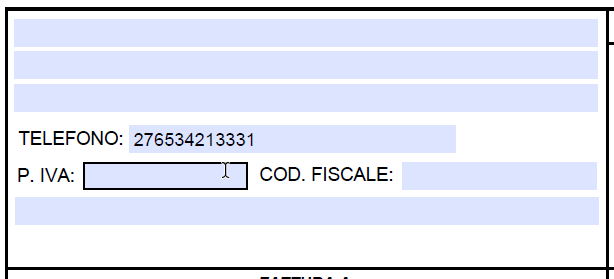
I have a PDF file with some form fields that I am currently filling with the Android SDK in an app of mine (see the attached image as example).
The filling with the SDK goes well, but after that I need to "lock" the PDF in such a way that is no more editable by anyone, just viewable (i.e. make it readonly).
Ho do I achieve that?
I have a PDF file with some form fields that I am currently filling with the Android SDK in an app of mine (see the attached image as example).
The filling with the SDK goes well, but after that I need to "lock" the PDF in such a way that is no more editable by anyone, just viewable (i.e. make it readonly).
Ho do I achieve that?
IP: 82.48.154.161
3 years 1 month ago #15810
by support
Replied by support on topic Make the pdf readonly
The best way is to flatten the page: it substitutes annotations with elements glued on the page.
IP: 217.141.78.166
3 years 1 month ago #15811
by simone.p
Replied by simone.p on topic Make the pdf readonly
OK, could you please tell me how to do that with the Android SDK?
Time to create page: 0.436 seconds