

- Posts: 6
- Thank you received: 0
Microsoft Windows Phone 8.1 support ends (13 Jul 2017)
Microsoft has ended support for Windows Phone 8.1
Questions about Android development and PDF
Sound annotation
IP: 37.214.73.120
6 years 3 months ago #15035
by ShadMaxim
Sound annotation was created by ShadMaxim
Hello Radaee. Tell me how you can record on a PDF document such a type of annotations as sound, for example mp3 or other formated (GetType() = 18). Procedure, methods used, and more.

IP: 111.196.244.77
6 years 3 months ago - 6 years 3 months ago #15036
by radaee
Replied by radaee on topic Sound annotation
if Annotation.GetType() = 18
Annotation.GetSoundData return:
paras is array of parameters:
[rate, channels, bits, encoding], all are integer values.
rate is: The sampling rate, in samples per second.
channels is: The number of sound channels.
bits is: The number of bits per sample value per channel.
encoding is:
0. RawUnspecified or unsigned values in the range 0 to 2B − 1
1. SignedTwos-complement values
2. muLawμ-law–encoded samples
3. ALawA-law–encoded samples
about the sound format:
sound file must be self-describing,
The AIFF, AIFF-C (Mac OS), RIFF (. wav), and snd (. au) file formats are all self-describing.
more details, plz see 9.2 section of PDF-Reference 1.7
if Annotation.GetType() != 18, Annotation.GetType() must be 26 (rich media, and most happen)
when Annotation.GetType() = 26,
parameter values are ignored, the format determined by file extension name, for example (.mp3) is mp3 encoding.
Annotation.GetSoundData return:
paras is array of parameters:
[rate, channels, bits, encoding], all are integer values.
rate is: The sampling rate, in samples per second.
channels is: The number of sound channels.
bits is: The number of bits per sample value per channel.
encoding is:
0. RawUnspecified or unsigned values in the range 0 to 2B − 1
1. SignedTwos-complement values
2. muLawμ-law–encoded samples
3. ALawA-law–encoded samples
about the sound format:
sound file must be self-describing,
The AIFF, AIFF-C (Mac OS), RIFF (. wav), and snd (. au) file formats are all self-describing.
more details, plz see 9.2 section of PDF-Reference 1.7
if Annotation.GetType() != 18, Annotation.GetType() must be 26 (rich media, and most happen)
when Annotation.GetType() = 26,
parameter values are ignored, the format determined by file extension name, for example (.mp3) is mp3 encoding.
Last edit: 6 years 3 months ago by radaee.
IP: 37.214.38.108
6 years 3 months ago - 6 years 3 months ago #15037
by ShadMaxim
Replied by ShadMaxim on topic Sound annotation
Some more questions arose:
1. About method GetSoundData(), we get data in it, and with what method to put / write data to a page?
2. In the knowledge base AddAnnotRichMedia() requires a premium license, and in the documentation a professional or premium license. What is true?(I have a professional license)
3.About the AddAnnotRichMedia () method ... My situation is as follows: users of our application exchange documents (PDF) on which there are annotations. I can’t guarantee that they will have third-party applications for recording / reading sound, so I use the built-in Android SDK MediaPlayer / MediaRecorder, and here there is a problem with the first parameter AddAnnotRichMedia (), where you need to specify the path to the player ("/ sdcard / VideoPlayer. swf "," /sdcard/AudioPlayer.swf "), there is no such way. Tell me what can be done here ...
4.Maybe there is another way to record and snap sound (annotation) to the page?
1. About method GetSoundData(), we get data in it, and with what method to put / write data to a page?
2. In the knowledge base AddAnnotRichMedia() requires a premium license, and in the documentation a professional or premium license. What is true?(I have a professional license)
3.About the AddAnnotRichMedia () method ... My situation is as follows: users of our application exchange documents (PDF) on which there are annotations. I can’t guarantee that they will have third-party applications for recording / reading sound, so I use the built-in Android SDK MediaPlayer / MediaRecorder, and here there is a problem with the first parameter AddAnnotRichMedia (), where you need to specify the path to the player ("/ sdcard / VideoPlayer. swf "," /sdcard/AudioPlayer.swf "), there is no such way. Tell me what can be done here ...
4.Maybe there is another way to record and snap sound (annotation) to the page?
Last edit: 6 years 3 months ago by ShadMaxim.
IP: 111.196.244.77
6 years 3 months ago - 6 years 3 months ago #15038
by radaee
Replied by radaee on topic Sound annotation
GetSoundData() is not mp3 compressed data.
so, you shall compress data to mp3 by your own way.
AddAnnotRichMedia() can add mp3 file or vedio to Annotation depends on player.
AddAnnotRichMedia() run under professional license.
rich media not like sound annotation, it using flash to play sound or video.
some like url: AudioPlayer.swf?test.mp3
this mean, using AudioPlayer.swf to play test.mp3.
so you need player file i attached here, and extract from you asset to a special directory,
the add annotation with player and mp3 file.
the player file is copied from Acrobat, i don't know the copyright, or can you using the player file.
so, you shall compress data to mp3 by your own way.
AddAnnotRichMedia() can add mp3 file or vedio to Annotation depends on player.
AddAnnotRichMedia() run under professional license.
rich media not like sound annotation, it using flash to play sound or video.
some like url: AudioPlayer.swf?test.mp3
this mean, using AudioPlayer.swf to play test.mp3.
so you need player file i attached here, and extract from you asset to a special directory,
the add annotation with player and mp3 file.
the player file is copied from Acrobat, i don't know the copyright, or can you using the player file.
Last edit: 6 years 3 months ago by radaee.
IP: 178.120.36.106
6 years 3 months ago - 6 years 3 months ago #15081
by ShadMaxim
Replied by ShadMaxim on topic Sound annotation
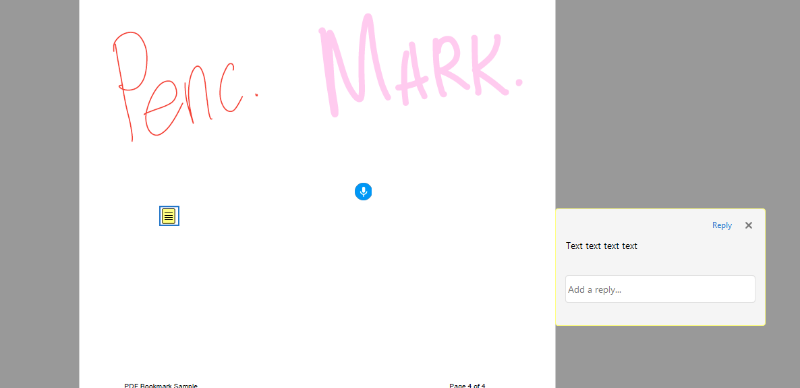
Good afternoon, Radaee, I had a problem playing the sound annotation which is saved as page.AddAnnotRichMedia ("/ player / AudioPlayer.swf", newFile.getPath (), 1, document.NewImage (BitmapFactory. decodeResource (context.getResources (), R.drawable.ic_mic_white_circle_blue_), true), pt2); Everything works well if I transfer a PDF document between the clients of our application, but if the client wants to save it, for example, to a computer and open it using Adobe Acrobat Reader , Text and graphic are highlighted and read, but the sound does not work. .. Maybe to open in another application you need to save additional information or fill in additional fields?
Last edit: 6 years 3 months ago by ShadMaxim.
IP: 111.196.242.40
6 years 3 months ago #15087
by radaee
Replied by radaee on topic Sound annotation
this path: "/player/AudioPlayer.swf", maybe a problem.
all file path shall be absolute path.
also newFile.getPath() may return relative path.
i tested AddRichMediaAnnot(), the annotation can play music in Acorbat.
the file is: www.radaeetz.com/123.pdf
i using following codes to add sound annotation:
all file path shall be absolute path.
also newFile.getPath() may return relative path.
i tested AddRichMediaAnnot(), the annotation can play music in Acorbat.
the file is: www.radaeetz.com/123.pdf
i using following codes to add sound annotation:
Code:
PDF_IMAGE dimg = m_doc.DocNewImageJPEG("f:\\img.jpg", false);
RDRECTF rect;
rect.left = 100;
rect.top = 100;
rect.right = 436;
rect.bottom = 566;
m_doc.Page_AddRichMediaAnnot(page->page, "E:\\workspace\\output\\AudioPlayer.swf", "F:\\Seaside.mp3", 1, dimg, rect);
m_doc.DocSave(NULL);
Time to create page: 0.431 seconds