

- Posts: 5
- Thank you received: 0
Microsoft Windows Phone 8.1 support ends (13 Jul 2017)
Microsoft has ended support for Windows Phone 8.1
Questions about Windows 8.1, 10, WindowsPhone, Windows UWP
PDFGlobal.SetCMapsPath crash
9 years 7 months ago #11773
by YannV
PDFGlobal.SetCMapsPath crash was created by YannV
Hi,
I don't know what to do, I have an exception on PDFGlobal.SetCMapsPath(inst_path + "\\Assets\\cmaps.dat", inst_path + "\\Assets\\umaps.dat");
System.TypeLoadException
StackTrace = " at System.StubHelpers.StubHelpers.GetWinRTFactoryObject(IntPtr pCPCMD)\r\n at RDPDFLib.pdf.PDFGlobal.SetCMapsPath(String cpath, String upath)\r\n at SalesApp.Common.InitRadaee.AppOnLaunched()"
The two files are in the installed directory, my package name is 2625.RadaeePDFReader
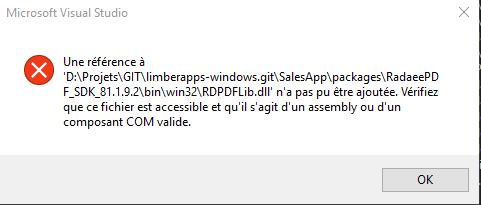
I don't if I am doing good concerning the reference to the lib RDPDFLib. When adding the win32 RDPDFLib.dll (and set the target plateform to X86) I have a Visual Studio message error :
When adding RDPDFLib.winmd Visual studio is not complaining, the code build.
I am not familiar with the .winmd, could someone tell me what I am doing wrong ?
Thanks,
I don't know what to do, I have an exception on PDFGlobal.SetCMapsPath(inst_path + "\\Assets\\cmaps.dat", inst_path + "\\Assets\\umaps.dat");
System.TypeLoadException
StackTrace = " at System.StubHelpers.StubHelpers.GetWinRTFactoryObject(IntPtr pCPCMD)\r\n at RDPDFLib.pdf.PDFGlobal.SetCMapsPath(String cpath, String upath)\r\n at SalesApp.Common.InitRadaee.AppOnLaunched()"
The two files are in the installed directory, my package name is 2625.RadaeePDFReader
I don't if I am doing good concerning the reference to the lib RDPDFLib. When adding the win32 RDPDFLib.dll (and set the target plateform to X86) I have a Visual Studio message error :
When adding RDPDFLib.winmd Visual studio is not complaining, the code build.
I am not familiar with the .winmd, could someone tell me what I am doing wrong ?
Thanks,

9 years 7 months ago #11777
by nermeen
Replied by nermeen on topic PDFGlobal.SetCMapsPath crash
It seems like you are not correctly setting the configurations of the reference,
Make sure that for the reference RDPDFLIb , you have (Copy Local) set with true (Check the demo project for a guide)
Make sure that for the reference RDPDFLIb , you have (Copy Local) set with true (Check the demo project for a guide)
9 years 7 months ago #11781
by YannV
Replied by YannV on topic PDFGlobal.SetCMapsPath crash
Hi, thanks for your reply.
I restart from scratch. I have a solution with 3 projets (Winrt). Buiklding Runing ok (Debug - ANY CPU)
I have added RDPDFLib projet in my solution.
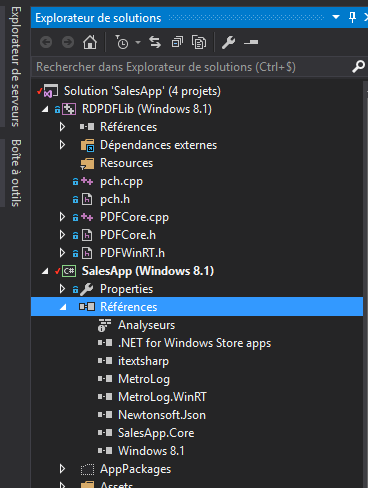
I have added reference in my WinRT project to the project RDPDFLib
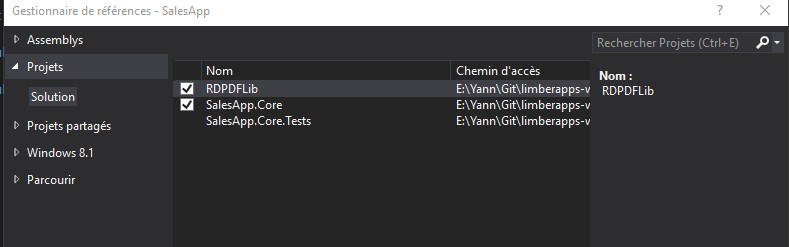
I start a build :

The file :\SalesApp\Debug\RDPDFLib\RDPDFLib.winmd doesn't exist.
In the demo solution, the Debug folder is well generated
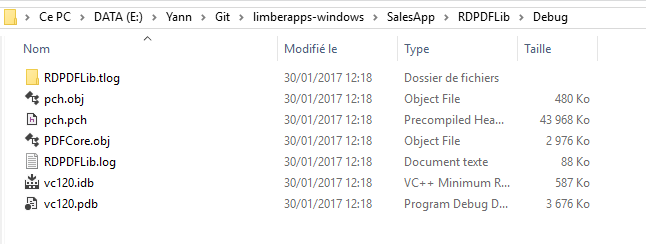
In my solution, this folder is "half" generated, ending with the error above.
Here is the folder
And the one inside the demo :
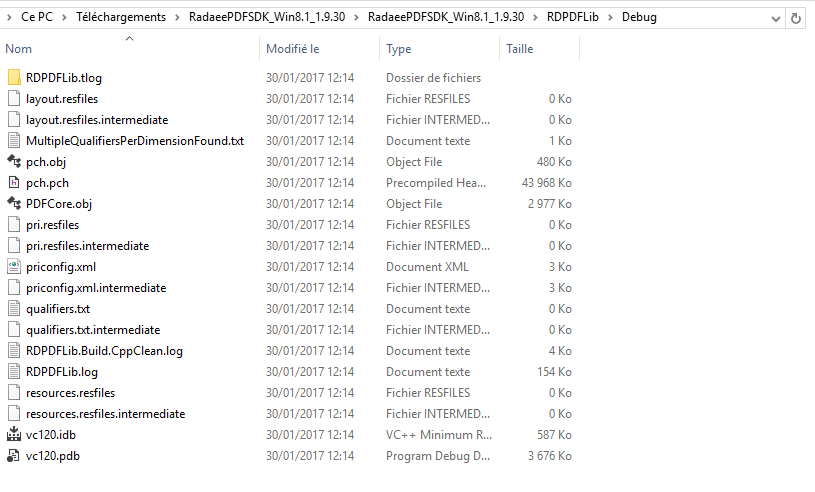
So, I cannot generate debug folder correctly. Why ?
Thanks for your help.
Regards,
Yann
I restart from scratch. I have a solution with 3 projets (Winrt). Buiklding Runing ok (Debug - ANY CPU)
I have added RDPDFLib projet in my solution.
I have added reference in my WinRT project to the project RDPDFLib
I start a build :
The file :\SalesApp\Debug\RDPDFLib\RDPDFLib.winmd doesn't exist.
In the demo solution, the Debug folder is well generated
In my solution, this folder is "half" generated, ending with the error above.
Here is the folder
And the one inside the demo :
So, I cannot generate debug folder correctly. Why ?
Thanks for your help.
Regards,
Yann
9 years 7 months ago #11782
by nermeen
Replied by nermeen on topic PDFGlobal.SetCMapsPath crash
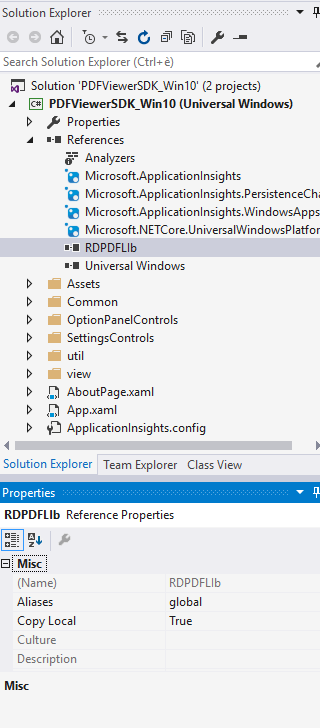
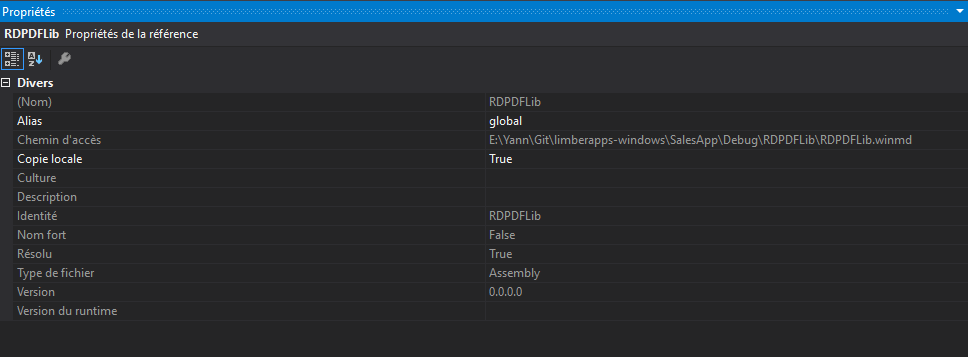
And what are the reference properties for RDPDFLIB?
9 years 7 months ago #11783
by YannV
Replied by YannV on topic PDFGlobal.SetCMapsPath crash
looks the same to you.
Time to create page: 0.658 seconds