

- Posts: 50
- Thank you received: 0
Microsoft Windows Phone 8.1 support ends (13 Jul 2017)
Microsoft has ended support for Windows Phone 8.1
Questions about Android development and PDF
Rendering problems with attached pdf
IP: 192.168.0.71
9 years 6 months ago - 9 years 6 months ago #12122
by apait
Rendering problems with attached pdf was created by apait
Hello,
one of our Clients has a problems with their PDFs since they made an update to their production-system.
Until two weeks ago their PDFs were produced with “ppi proformd 5.1.20.0.5”. Now with “ppi proformd 5.5.26.0.6”.
Since then the PDFs are not rendered correctly, They are rendered correctly after we zoom in.
Their is no rendering-issue when using AdobeReader on mobile Clients or on notebooks with Mac/Win.
We are using PDF-Lib-Version 3.10 and the problem occurs in our app and in your Demo-App (also in earlier versions, eg. 3.6.2), so you can simulate the error with the pdfs attached.
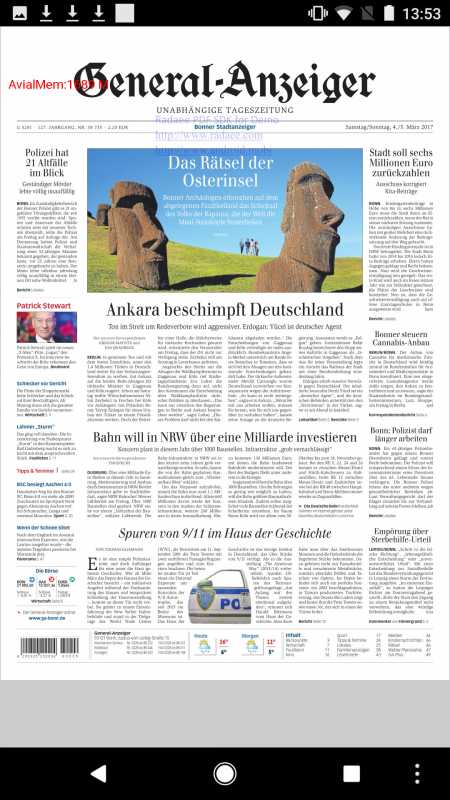
Here you can see the rendering before their update:
pdf:
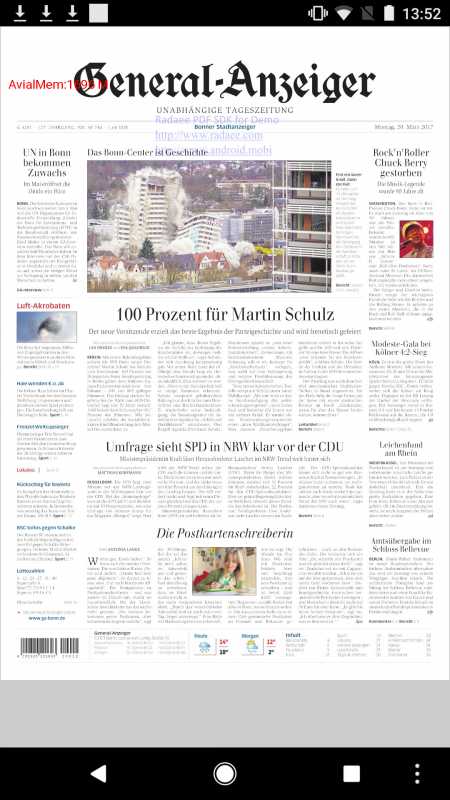
And here after:
pdf:
one of our Clients has a problems with their PDFs since they made an update to their production-system.
Until two weeks ago their PDFs were produced with “ppi proformd 5.1.20.0.5”. Now with “ppi proformd 5.5.26.0.6”.
Since then the PDFs are not rendered correctly, They are rendered correctly after we zoom in.
Their is no rendering-issue when using AdobeReader on mobile Clients or on notebooks with Mac/Win.
We are using PDF-Lib-Version 3.10 and the problem occurs in our app and in your Demo-App (also in earlier versions, eg. 3.6.2), so you can simulate the error with the pdfs attached.
Here you can see the rendering before their update:
pdf:
And here after:
pdf:
Last edit: 9 years 6 months ago by apait.


IP: 192.168.0.71
9 years 6 months ago #12123
by support
Replied by support on topic Rendering problems with attached pdf
Your request contains some obscrure information:
- may you explain what ppi proformd is?
- how pdflib is used, which activity is applied to original document?
May you upload the expected rendering, please?
Try downloading this: own.mobiles.it/index.php/s/j66elfC3Wf370GB
It contains the rendering from Acrobat Mobile, Acrobat Pro MacOS, MacOS Preview, PDFTron, RadaeePDF.
It seems:
- none of above rendering engine is showing fonts in the very same way
- the worse one is Acrobat Mobile which is completely missing the right font
May you specify, please?
- may you explain what ppi proformd is?
- how pdflib is used, which activity is applied to original document?
May you upload the expected rendering, please?
Try downloading this: own.mobiles.it/index.php/s/j66elfC3Wf370GB
It contains the rendering from Acrobat Mobile, Acrobat Pro MacOS, MacOS Preview, PDFTron, RadaeePDF.
It seems:
- none of above rendering engine is showing fonts in the very same way
- the worse one is Acrobat Mobile which is completely missing the right font
May you specify, please?
IP: 192.168.0.71
9 years 6 months ago - 9 years 6 months ago #12128
by apait
Replied by apait on topic Rendering problems with attached pdf
“ppi proformd” is software: “ProForm” of the company PPI - “a software for native PDF assembly” (
www.ppimedia.de/ppi/sites/default/files/...propag_en_201408.pdf
).
in the zip.file I uploaded for you are some screenshots. They show the expected rendering (with the according pdf) and the wrong rendering (with according pdf).
www.dropbox.com/s/pq45hmg5o7ydvye/Archiv.zip?dl=0
the problem can be seen at how the article-texts are rendered (blurred, fuzzy)... they are until you zoom into the text.
you can try it out with your own demo-app.
in the zip.file I uploaded for you are some screenshots. They show the expected rendering (with the according pdf) and the wrong rendering (with according pdf).
www.dropbox.com/s/pq45hmg5o7ydvye/Archiv.zip?dl=0
the problem can be seen at how the article-texts are rendered (blurred, fuzzy)... they are until you zoom into the text.
you can try it out with your own demo-app.
Last edit: 9 years 6 months ago by apait.
IP: 192.168.0.71
9 years 6 months ago #12130
by support
Replied by support on topic Rendering problems with attached pdf
First: to make us evaluate your request you should provide the very same newspaper page generated by the old and new version of that third part platform.
Comparing two different document is not useful.
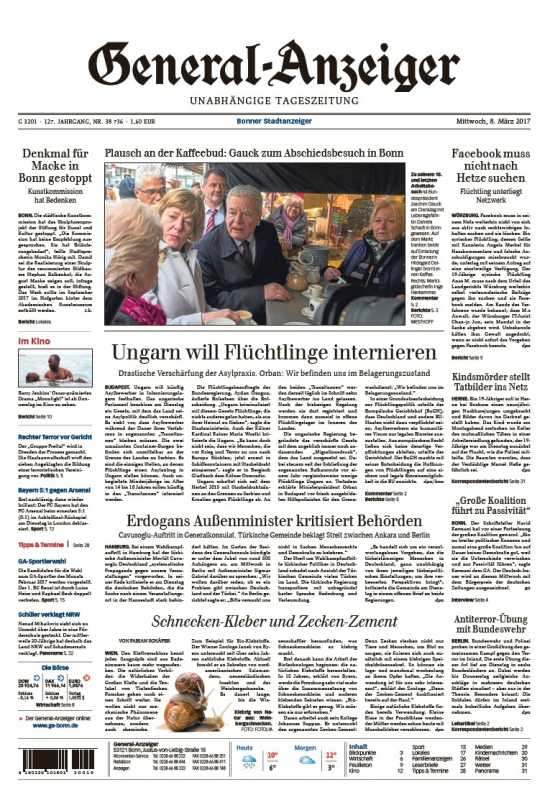
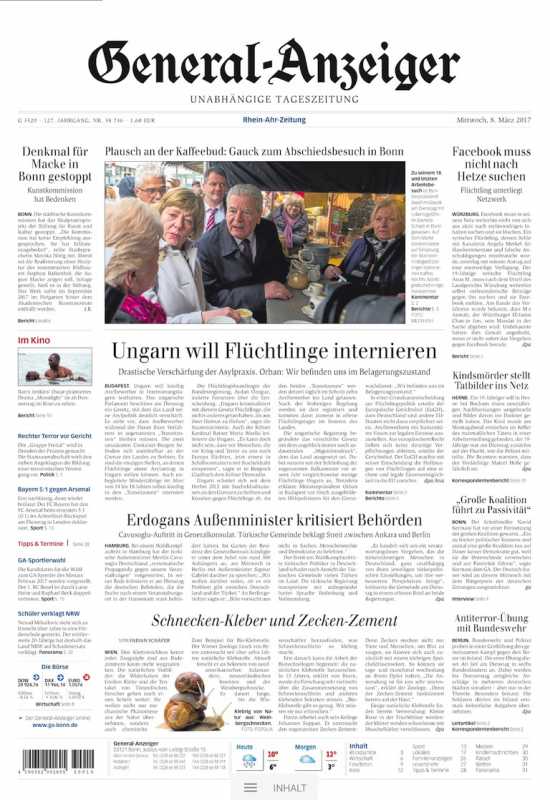
After that I invite you to look at attached images: are about the same page rendered through different rendering engines.
It seems the Pdf composer is using a different way to store fonts which are thinner than before.
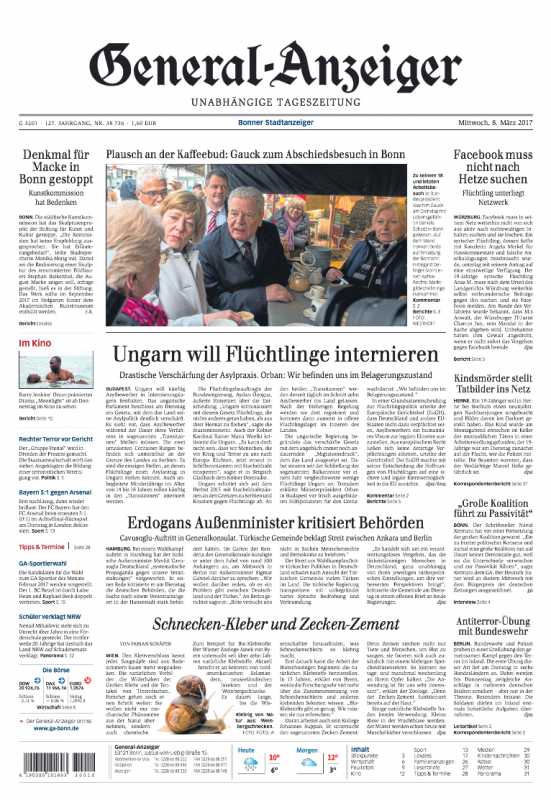
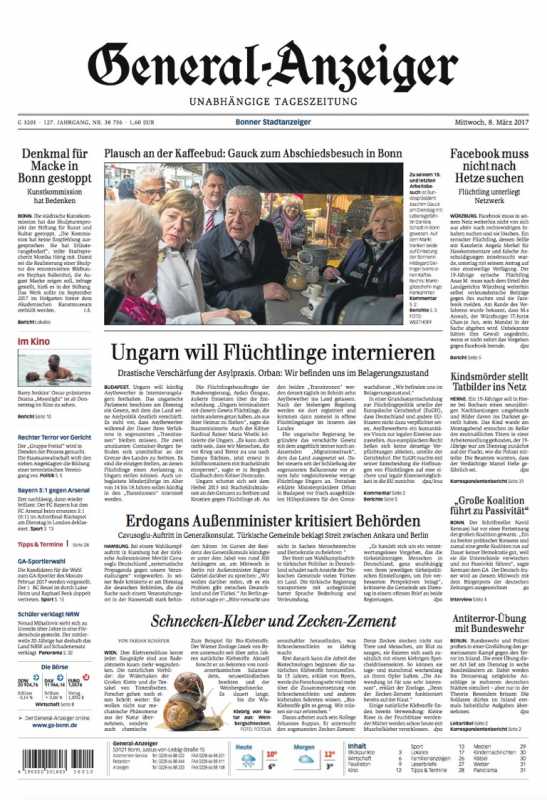
Comparing two different document is not useful.
After that I invite you to look at attached images: are about the same page rendered through different rendering engines.
It seems the Pdf composer is using a different way to store fonts which are thinner than before.
IP: 192.168.0.71
9 years 5 months ago #12135
by support
Replied by support on topic Rendering problems with attached pdf
Developers have found a slight difference between first and second pdf files.
They aren't sure it could rise in a different rendering for text with thinner fonts.
I should confirm we would need the same page rendered with old and new creation engine to be able to proceed with testing and evaluation.
They aren't sure it could rise in a different rendering for text with thinner fonts.
I should confirm we would need the same page rendered with old and new creation engine to be able to proceed with testing and evaluation.
IP: 192.168.0.71
9 years 5 months ago #12136
by apait
Replied by apait on topic Rendering problems with attached pdf
thanks for your effort - i will try to get these asap
Time to create page: 0.444 seconds