

- Posts: 8
- Thank you received: 0
Microsoft Windows Phone 8.1 support ends (13 Jul 2017)
Microsoft has ended support for Windows Phone 8.1
Questions about Android development and PDF
Move pdf page to particular position with zoom
IP: 192.168.0.70
12 years 8 months ago #4895
by vym
Move pdf page to particular position with zoom was created by vym
Hi,
I require to move pdf to specified position (page, zoom, viewable area).
I need to scroll to Page number 10 PDFPos x= 204.57294 PDFPos y =453.0561 PDFPos vx = -171 PDFPos vy -323
I tried to achieve by following :
PDFPos pos = m_view.vGetPos((int)204.57294, (int)453.0561);
m_view.vSetPos(pos, -171, -323);
invalidate();
But it doesnt work. Please direct me how to achieve this.
As my application requirement is to show pdf to student as teacher move her pdf i need to move student pdf from background. Any help is appreciated.
Thanks.
I require to move pdf to specified position (page, zoom, viewable area).
I need to scroll to Page number 10 PDFPos x= 204.57294 PDFPos y =453.0561 PDFPos vx = -171 PDFPos vy -323
I tried to achieve by following :
PDFPos pos = m_view.vGetPos((int)204.57294, (int)453.0561);
m_view.vSetPos(pos, -171, -323);
invalidate();
But it doesnt work. Please direct me how to achieve this.
As my application requirement is to show pdf to student as teacher move her pdf i need to move student pdf from background. Any help is appreciated.
Thanks.

IP: 192.168.0.70
12 years 8 months ago #4896
by radaee
Replied by radaee on topic Move pdf page to particular position with zoom
these codes not changed position:
these codes move down 100 pixels:
Code:
PDFPos pos = m_view.vGetPos((int)204.57294, (int)453.0561);
m_view.vSetPos(pos, (int)204.57294, (int)453.0561);
invalidate();
Code:
PDFPos pos = m_view.vGetPos((int)204.57294, (int)453.0561);
m_view.vSetPos(pos, (int)204.57294, (int)453.0561 + 100 );
invalidate();
IP: 192.168.0.70
12 years 8 months ago #4962
by vym
Replied by vym on topic Move pdf page to particular position with zoom
Hi,
Its not working, doesnt move page to specified location.
I need to scroll pdf to fixed x,y and vx,vy when opened.
My Queries:
1. Does vSetPos sets pdf view part to specified position.
2. In vSetPos how to set x,y,vx,vy 4 values.
Its urgent any direction is appriciated.
Thanks.
Its not working, doesnt move page to specified location.
I need to scroll pdf to fixed x,y and vx,vy when opened.
My Queries:
1. Does vSetPos sets pdf view part to specified position.
2. In vSetPos how to set x,y,vx,vy 4 values.
Its urgent any direction is appriciated.
Thanks.
IP: 192.168.0.70
12 years 8 months ago - 12 years 8 months ago #4963
by radaee
Replied by radaee on topic Move pdf page to particular position with zoom
public class PDFPos
{
public int pageno;//pageno to be jump
public float x;//x in PDF coordinate
public float y;//y in PDF coordinate
};
vx, vy: PDFPos shall be at the point of screen, and this may adjust by max width and max height of Document.
vSetPos works after first PDFView.vResize() called.
and width, height can't be 0 for PDFView.vResize().
{
public int pageno;//pageno to be jump
public float x;//x in PDF coordinate
public float y;//y in PDF coordinate
};
vx, vy: PDFPos shall be at the point of screen, and this may adjust by max width and max height of Document.
vSetPos works after first PDFView.vResize() called.
and width, height can't be 0 for PDFView.vResize().
Last edit: 12 years 8 months ago by .
IP: 192.168.0.70
12 years 8 months ago #4964
by vym
Replied by vym on topic Move pdf page to particular position with zoom
Hi,
As you suggested i have put resize and it changes the page to random place as i set vresize(100,100)
but then values of vSetPos doesnt changes to x,y specified.
Can u share any working code demo.
Also need to confirm vSetPos shows parameter vx,vy [vSetPos(PDFPos pos, int vx, int vy)
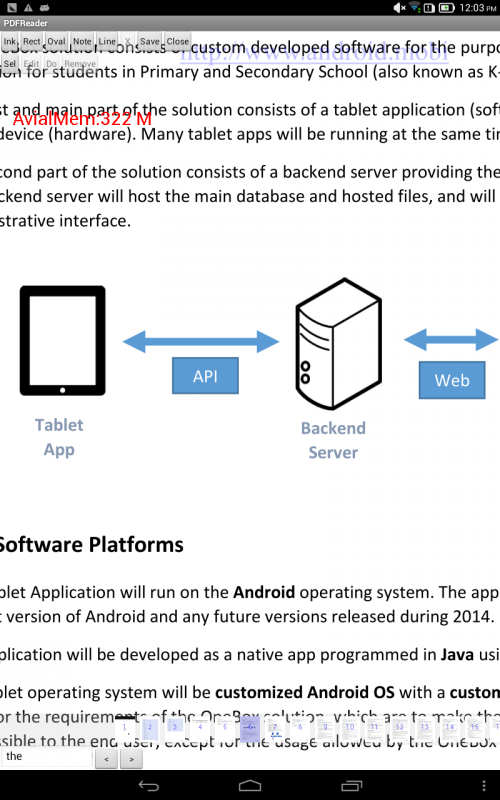
)] according to document but we are passing x,y. However i tried both but pdf doesnt move to show as attached image.
Thanks.
As you suggested i have put resize and it changes the page to random place as i set vresize(100,100)
but then values of vSetPos doesnt changes to x,y specified.
Can u share any working code demo.
Also need to confirm vSetPos shows parameter vx,vy [vSetPos(PDFPos pos, int vx, int vy)
)] according to document but we are passing x,y. However i tried both but pdf doesnt move to show as attached image.
Thanks.
IP: 192.168.0.70
12 years 8 months ago - 12 years 8 months ago #4965
by radaee
Replied by radaee on topic Move pdf page to particular position with zoom
PDFReader.onSizeChanged()
has some codes, to record position at screen (w/2,h2) (center of the View)
and after screen changed, put the position back to screen (w/2,h2)
if you want jump to a page, and show [top-left of page] at [top-left of screen].
codes like:
has some codes, to record position at screen (w/2,h2) (center of the View)
and after screen changed, put the position back to screen (w/2,h2)
if you want jump to a page, and show [top-left of page] at [top-left of screen].
codes like:
Code:
PDFPos pos = new PDFPos();
pos.x = 0;
pos.y = Document.GetPageHeight( pageno );//PDF using Math coordinate, which (0,0) is placed bottom)
pos.pageno = pageno;
PDFView.vSetPos( pos, 0, 0);
invalidate();
Last edit: 12 years 8 months ago by .
Time to create page: 0.430 seconds