
- Posts: 19
- Thank you received: 0
Microsoft Windows Phone 8.1 support ends (13 Jul 2017)
Microsoft has ended support for Windows Phone 8.1
Questions about iOS development and PDF
Vertical paging - Single Page Mode in iOS
- [email protected]
- Topic Author
- Offline
- New Member
-

Less
More
IP: 92.97.133.228
6 years 4 months ago #15040
by [email protected]
Vertical paging - Single Page Mode in iOS was created by [email protected]
Dear Team,
Currently in horizontal scroll I can able to enable single pdf's page per screen and able to enable paging also.
But in vertical scroll, its displaying more than one pdf's page per screen. I want to display like horizontal page( i.e single pdf's page per screen) in vertical scroll also.
Please guide me how can achieve this? Its urgent for us.
Thanks in Advance. I eagerly waiting for your quick reply.
Regards
Ponlingam
Currently in horizontal scroll I can able to enable single pdf's page per screen and able to enable paging also.
But in vertical scroll, its displaying more than one pdf's page per screen. I want to display like horizontal page( i.e single pdf's page per screen) in vertical scroll also.
Please guide me how can achieve this? Its urgent for us.
Thanks in Advance. I eagerly waiting for your quick reply.
Regards
Ponlingam

IP: 82.52.97.208
6 years 4 months ago #15041
by emanuele
Replied by emanuele on topic Vertical paging - Single Page Mode in iOS
Dear user,
this render mode is not available in demo project, but you could implement it editing the vertical layout.
Here is some steps to follow:
- In PDFLayoutView class edit pagingAvailable method and add GLOBAL.g_render_mode == 0 to available paging render mode.
- In PDFLayoutView class edit the open method and set GLOBAL.g_paging_enabled = YES on RDVLayoutVert initialization.
- In RDVLayout class edit vCalculateScales and set BOOL vert = NO.
- In RDVLayout class edit the RDVLayoutVert's init method and set m_align = align_vcenter;
These steps should be enough to implement paging in vertical mode.
To handle other particular behaviors, you could edit PDFLayoutView and RDVLayout class.
this render mode is not available in demo project, but you could implement it editing the vertical layout.
Here is some steps to follow:
- In PDFLayoutView class edit pagingAvailable method and add GLOBAL.g_render_mode == 0 to available paging render mode.
- In PDFLayoutView class edit the open method and set GLOBAL.g_paging_enabled = YES on RDVLayoutVert initialization.
- In RDVLayout class edit vCalculateScales and set BOOL vert = NO.
- In RDVLayout class edit the RDVLayoutVert's init method and set m_align = align_vcenter;
These steps should be enough to implement paging in vertical mode.
To handle other particular behaviors, you could edit PDFLayoutView and RDVLayout class.
- [email protected]
- Topic Author
- Offline
- New Member
-
Less
More
- Posts: 19
- Thank you received: 0
IP: 92.97.133.228
6 years 4 months ago - 6 years 4 months ago #15042
by [email protected]
Replied by [email protected] on topic Vertical paging - Single Page Mode in iOS
Dear Emanuele,
Thank you so much. I followed your step, currently vertical paging is working fine.
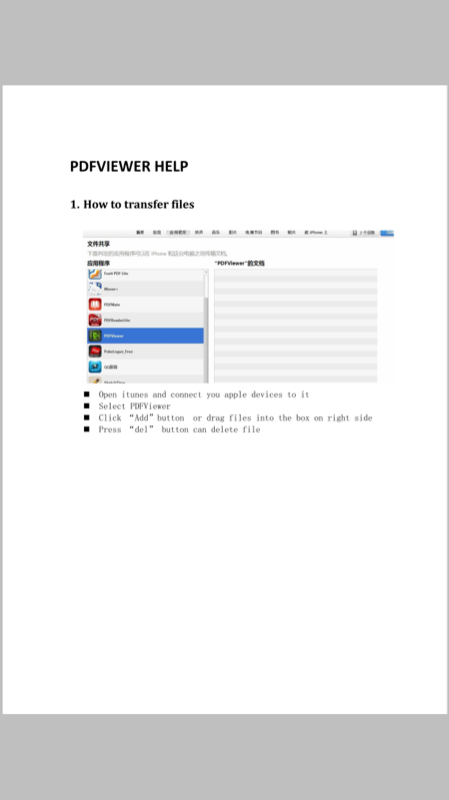
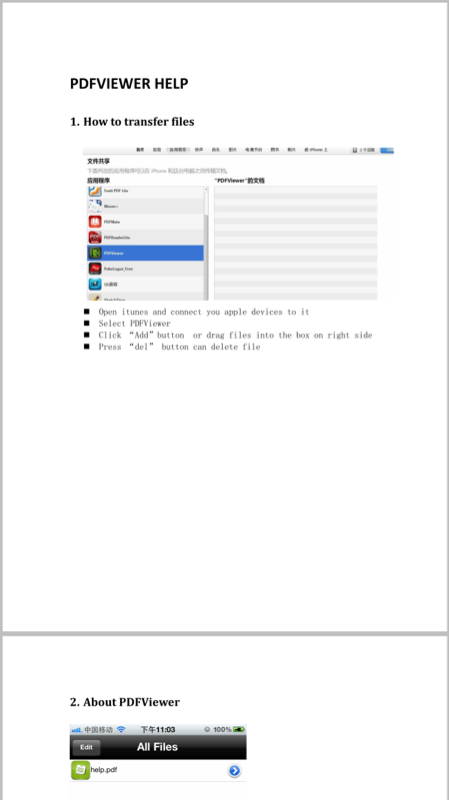
But I need vertical paging with every page of pdf needs to display in different different page. But here, second page of pdf started in first page of device.
I need every pdf's page needs to display in separate page.
Check my attachment.
- I need like my 1st attachment (IMG_6234.PNG)
- But currently its displaying as 2nd attachment.
Please help me to achieve this.
I am eagerly waiting for your positive reply.
Thanks in Advance.
Regards
Ponlingam S
Thank you so much. I followed your step, currently vertical paging is working fine.
But I need vertical paging with every page of pdf needs to display in different different page. But here, second page of pdf started in first page of device.
I need every pdf's page needs to display in separate page.
Check my attachment.
- I need like my 1st attachment (IMG_6234.PNG)
- But currently its displaying as 2nd attachment.
Please help me to achieve this.
I am eagerly waiting for your positive reply.
Thanks in Advance.
Regards
Ponlingam S
Last edit: 6 years 4 months ago by [email protected].
IP: 82.52.97.208
6 years 4 months ago - 6 years 4 months ago #15044
by emanuele
Replied by emanuele on topic Vertical paging - Single Page Mode in iOS
You could try changing this code:
- in RDVLayout, ProLayout method of RDVLayoutVert change the default implementation of the switch(m_align) in this way:
- add vGotoPage in RDVLayoutVert implementation in this way:
This is a sample implementation and not supported in demo project.
We don't know if it works for pdf with particular sizes and you should handle these cases.
- in RDVLayout, ProLayout method of RDVLayoutVert change the default implementation of the switch(m_align) in this way:
Code:
default:
{
int pw = [m_doc pageWidth:pageno] * m_scales[pageno];
int ph = [m_doc pageHeight:pageno] * m_scales[pageno];
int ch = (ph + m_page_gap < m_h) ? m_h : ph + m_page_gap;
RDVPage *vp = (RDVPage *)[m_pages objectAtIndex:pageno];
[vp vLayout:(m_docw - pw) >> 1 :docy + (ch - ph) / 2 :m_scales[pageno] :true];
docy += ch;
break;
}
Code:
-(void)vGotoPage:(int)pageno
{
RDVPos pos;
pos.pdfx = 0;
pos.pdfy = [m_doc pageHeight:pageno];
pos.pageno = pageno;
int ph = [m_doc pageHeight:pageno] * m_scales[pageno];
[self vSetPos:m_page_gap / 2 :(m_h - ph) / 2 :&pos];
}
This is a sample implementation and not supported in demo project.
We don't know if it works for pdf with particular sizes and you should handle these cases.
Last edit: 6 years 4 months ago by emanuele.
- [email protected]
- Topic Author
- Offline
- New Member
-
Less
More
- Posts: 19
- Thank you received: 0
IP: 92.97.133.228
6 years 4 months ago - 6 years 4 months ago #15049
by [email protected]
Replied by [email protected] on topic Vertical paging - Single Page Mode in iOS
Dear emanuele,
Thank You so much. Its working fine in 'RadaeePDF CALayer 3.61' Demo project.
Actually we are using old RadeePDF library (i.e Without CALayer Version), We customized lot of things with this old RadeePDF version.
If I implement new library I needs to do lot of customization with this library, it will take more time. we needs to release with this vertical paging option immediately .
Can you please help me to do same thing(vertical paging with single page) in old RadeePDF Source code(Without CA layer version)? this time only.
Please help me to do this with old RadeePDF version this time only. Meanwhile I will implement new version.
It will be very grateful and thankful if you help me to do this.
I eagerly waiting for your positive reply.
Best Regards
Ponlingam S
Thank You so much. Its working fine in 'RadaeePDF CALayer 3.61' Demo project.
Actually we are using old RadeePDF library (i.e Without CALayer Version), We customized lot of things with this old RadeePDF version.
If I implement new library I needs to do lot of customization with this library, it will take more time. we needs to release with this vertical paging option immediately .
Can you please help me to do same thing(vertical paging with single page) in old RadeePDF Source code(Without CA layer version)? this time only.
Please help me to do this with old RadeePDF version this time only. Meanwhile I will implement new version.
It will be very grateful and thankful if you help me to do this.
I eagerly waiting for your positive reply.
Best Regards
Ponlingam S
Last edit: 6 years 4 months ago by [email protected].
Time to create page: 0.426 seconds